HireCore
Add-on for TerraCore, GroundCore and ArborCoreHire your crew. Keep them certified, cleared and coming back.
The hiring form on their phone, the contract signed in the app, and next season's invite in one tap. Every certificate, licence and site clearance kept up to date, with a reminder before anything runs out. Added on to the app you already run your work in.
Every spring, the same scramble.
SINs and void cheques chased by text.
Every spring starting from zero, with people you already had.
Certificates and site clearances in a spreadsheet, until one runs out.

How hiring works
From a link to their first shift, in four steps.
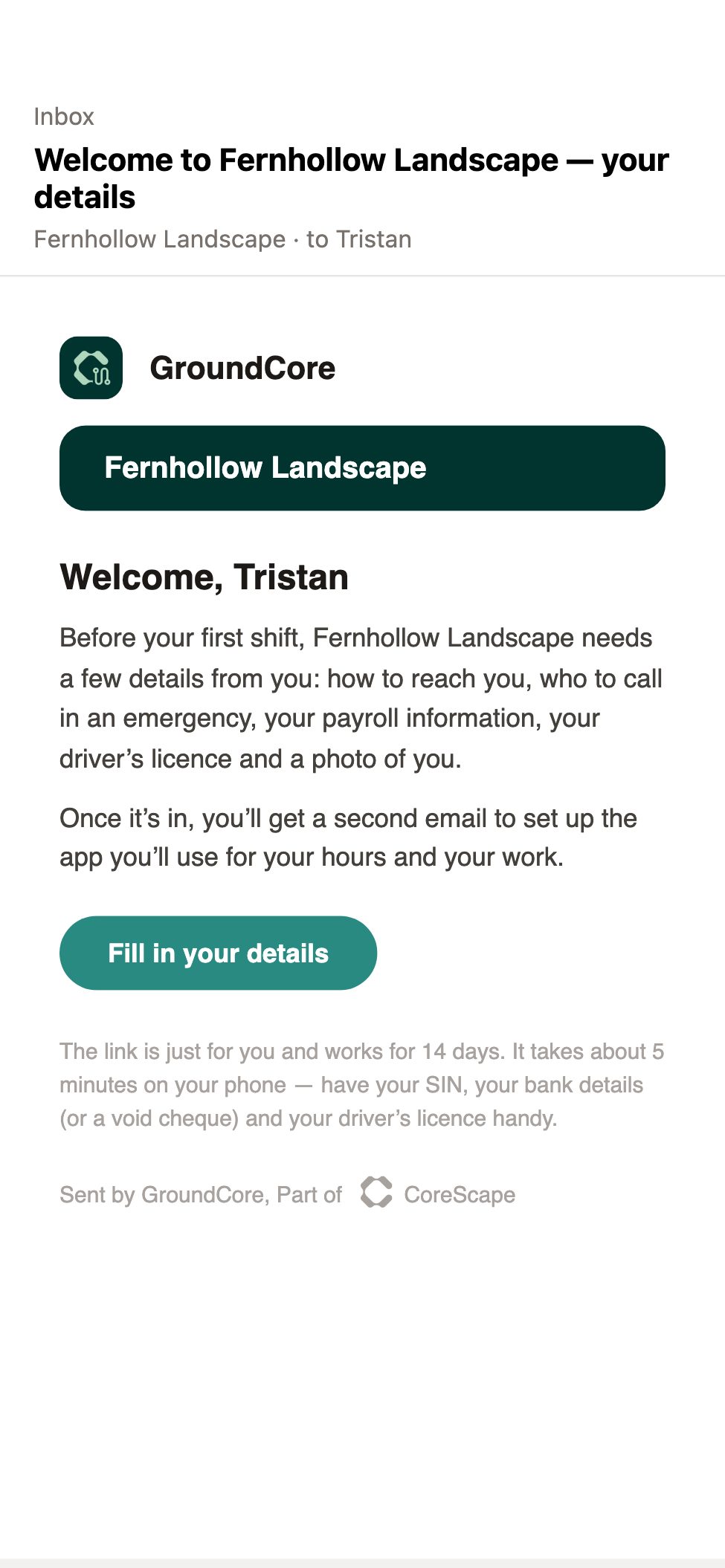
Send a hiring link.
By email and text, one per person. Drop in their resume and the link opens with their details already filled in.
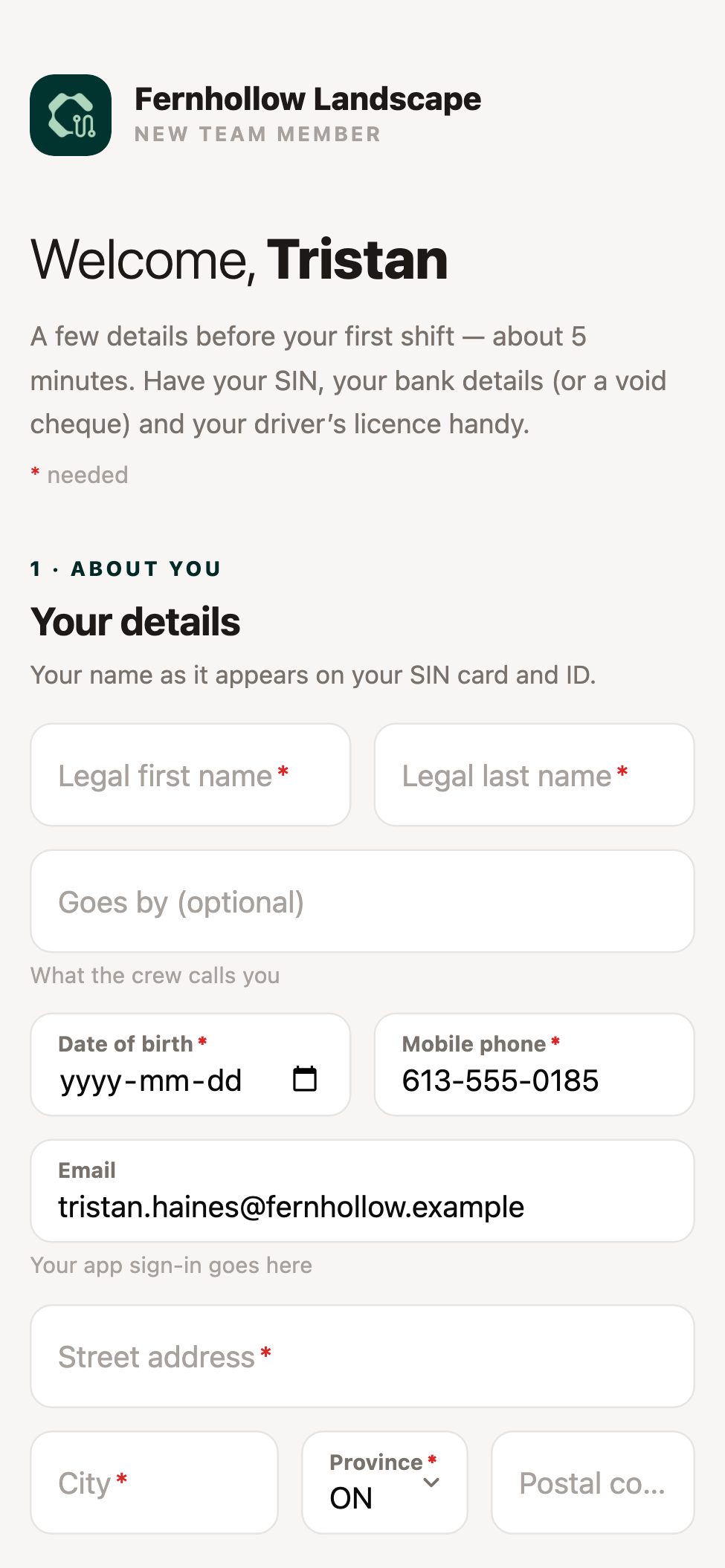
They fill it in on their phone.
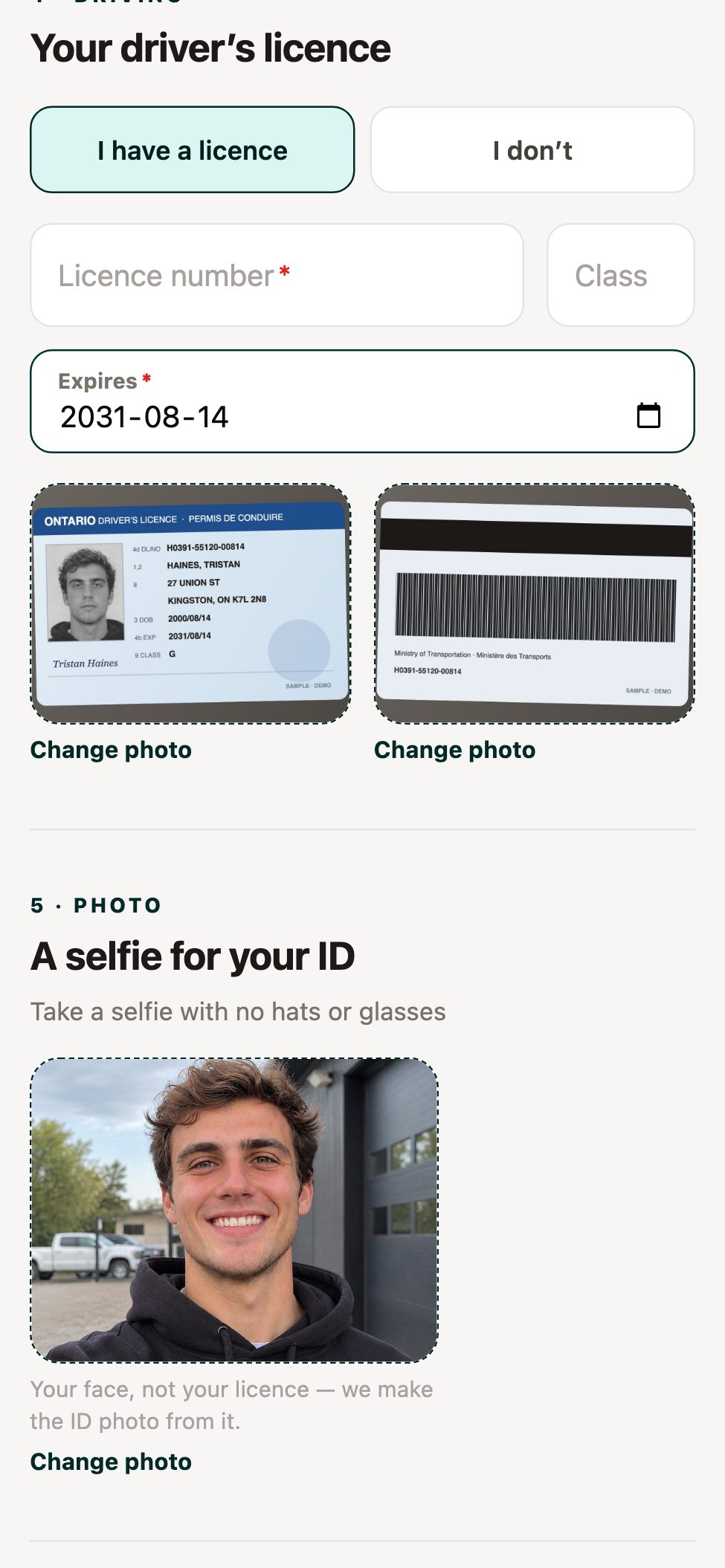
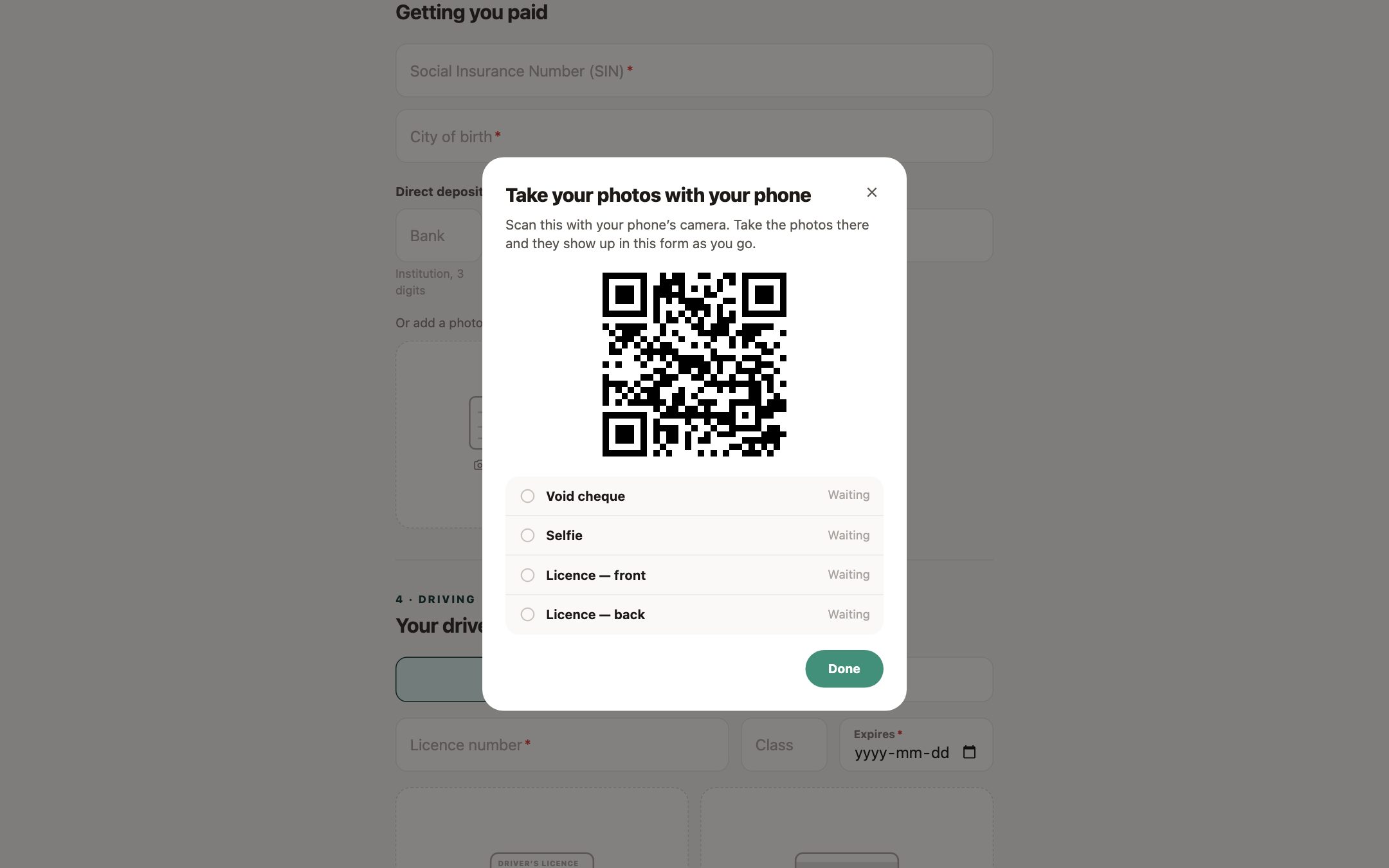
About five minutes: their details, SIN, banking or a void cheque, their driver's licence front and back, and a selfie for their ID photo. On a computer, they scan a QR code and take the photos with their phone. The photos land in the form.
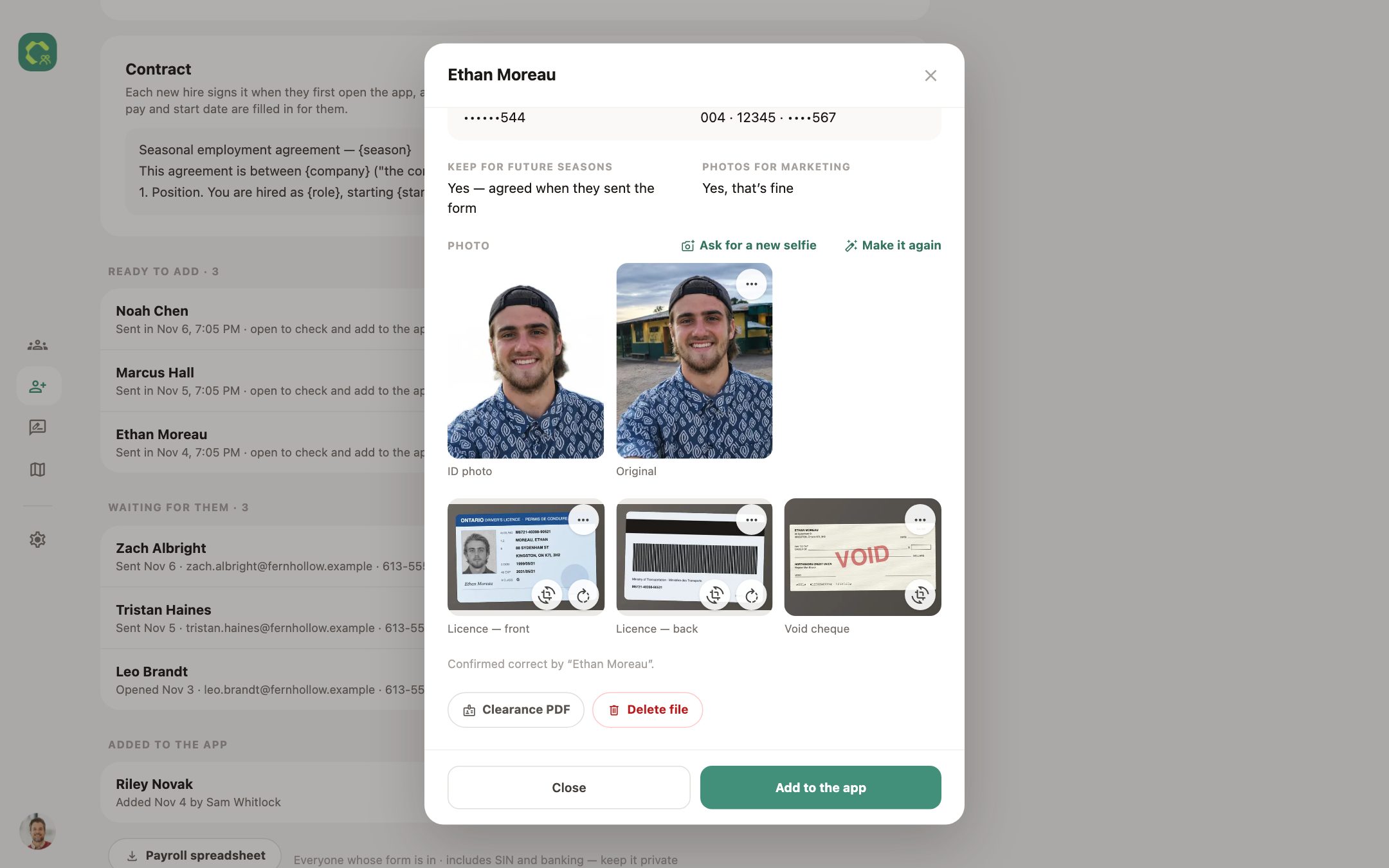
You check it and send the contract.
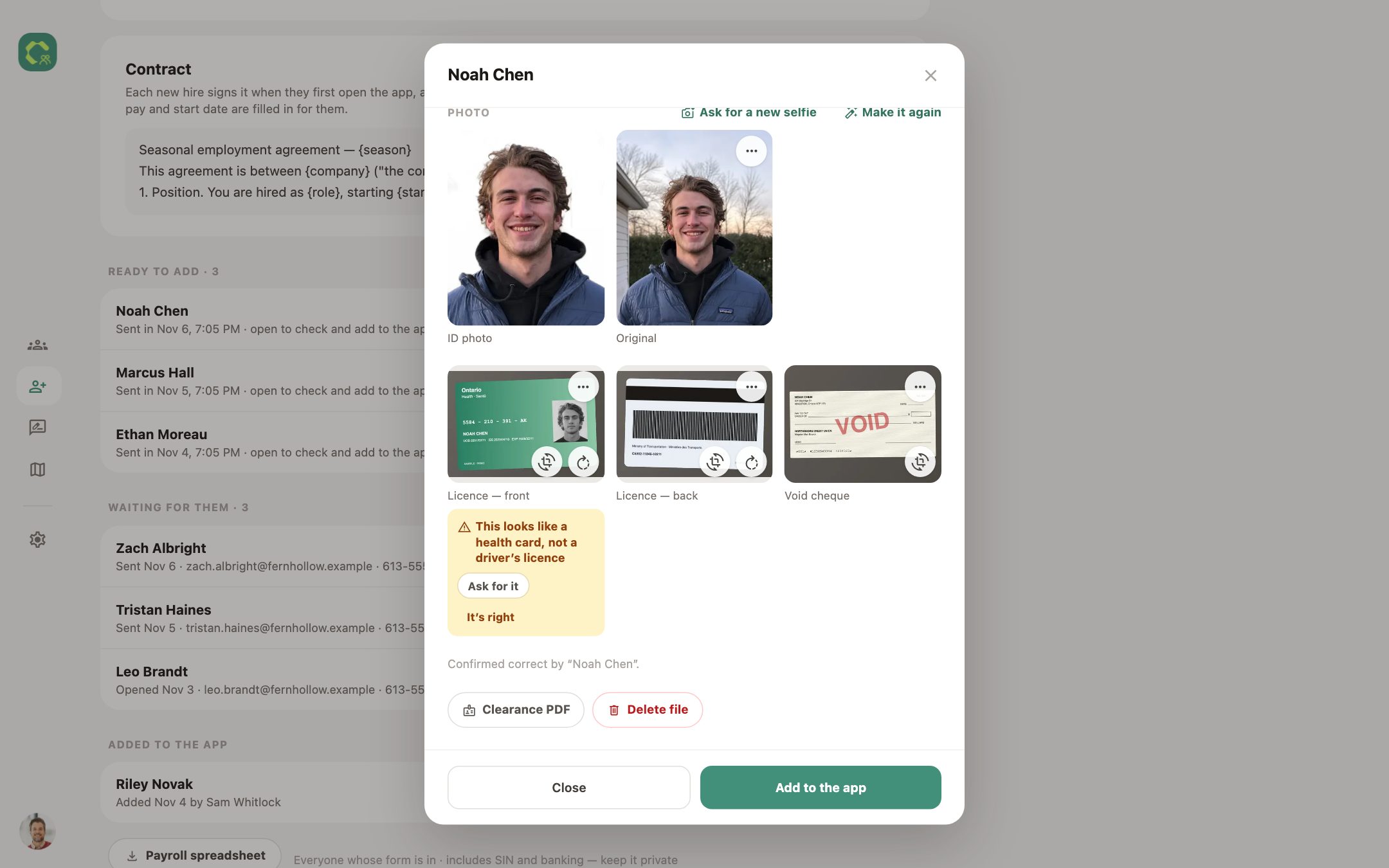
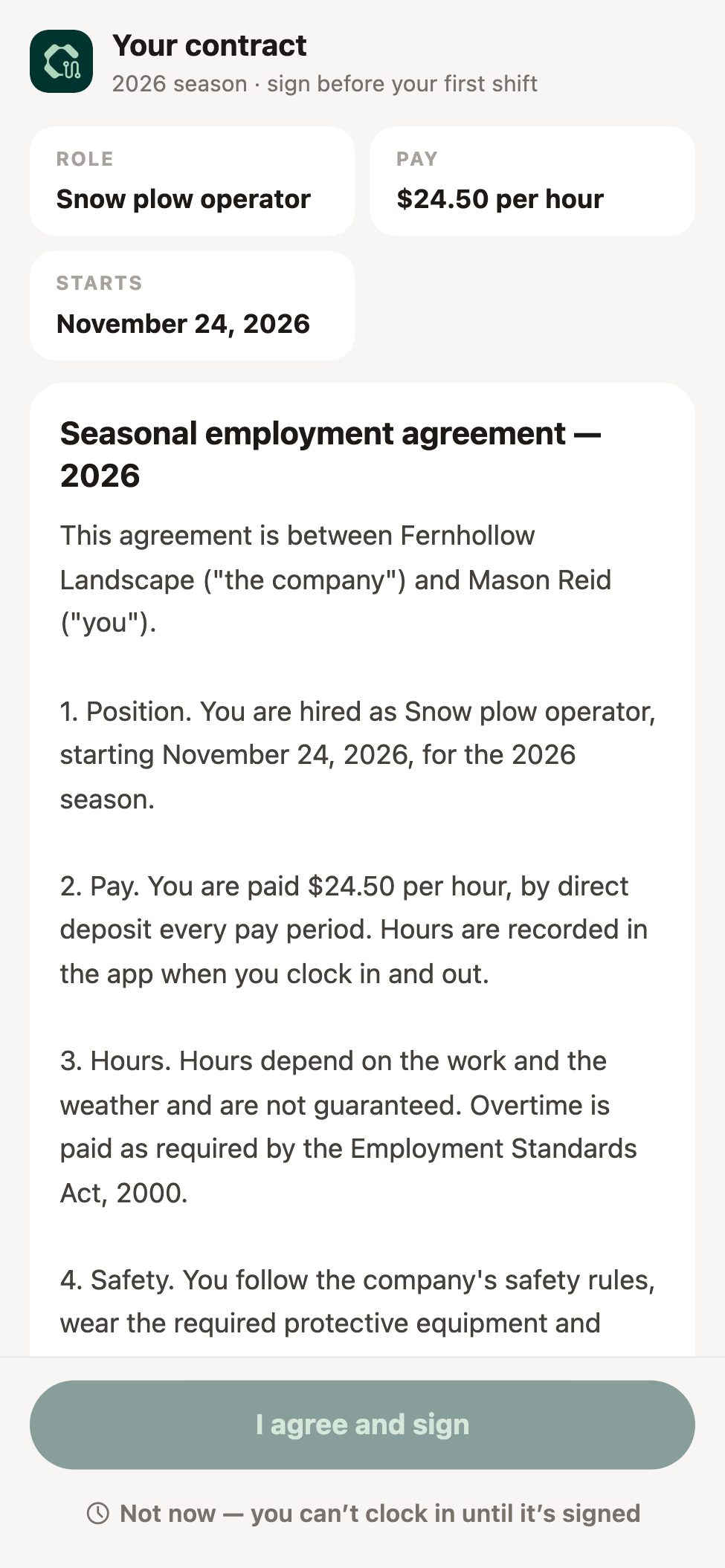
Licence photos are turned the right way up for you, and you can straighten one by dragging its four corners. A wrong card, like a health card instead of a licence, gets flagged, and one tap asks them for a new photo. They sign the contract on their phone, and their rate goes into pay.
Add them to the app.
One tap invites them into GroundCore, TerraCore or ArborCore. They can't clock in until the contract is signed.
Add to the app
Clock-in opens when the contract is signed.
Your people
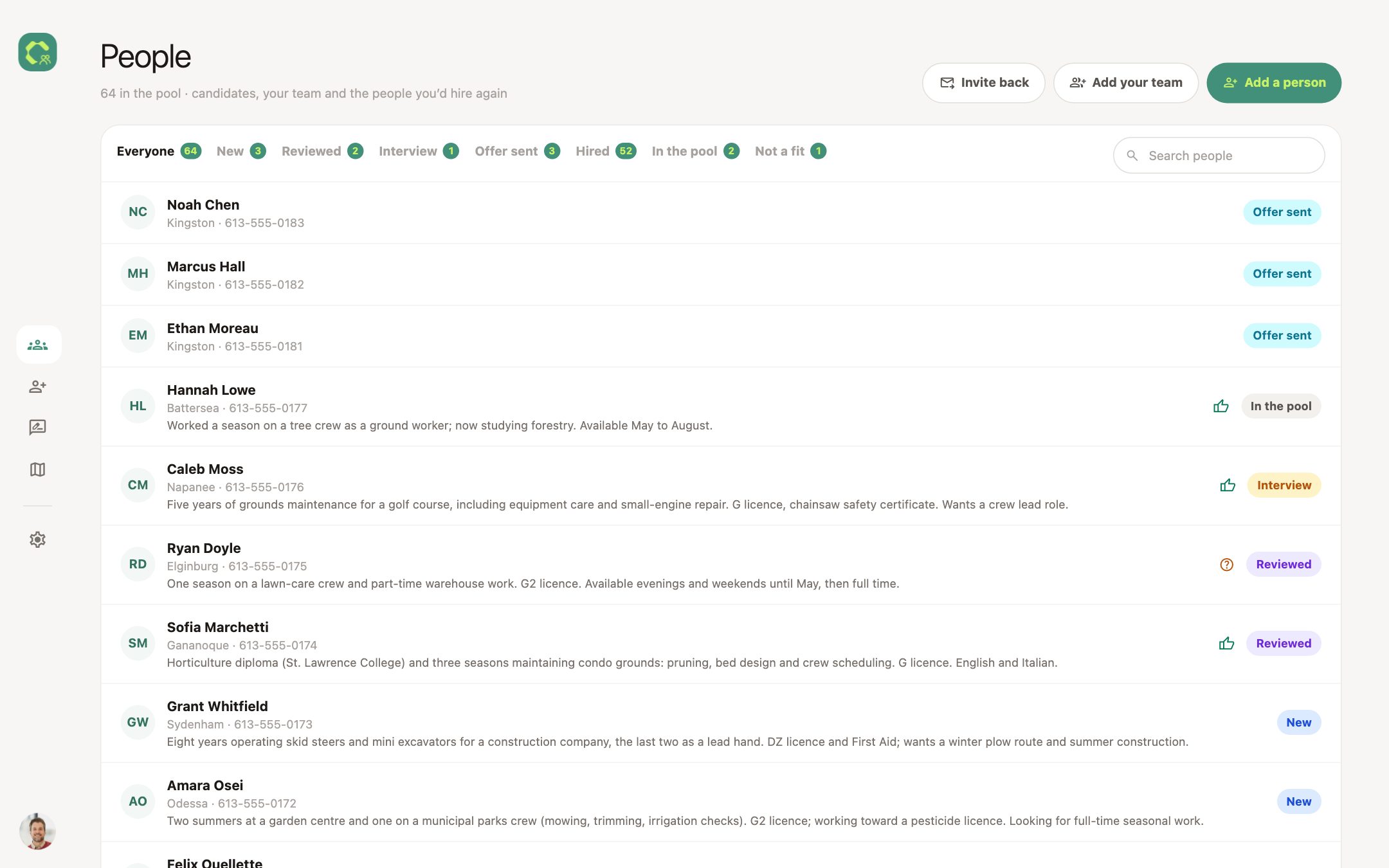
Everyone you've hired or interviewed. Every season, every app.
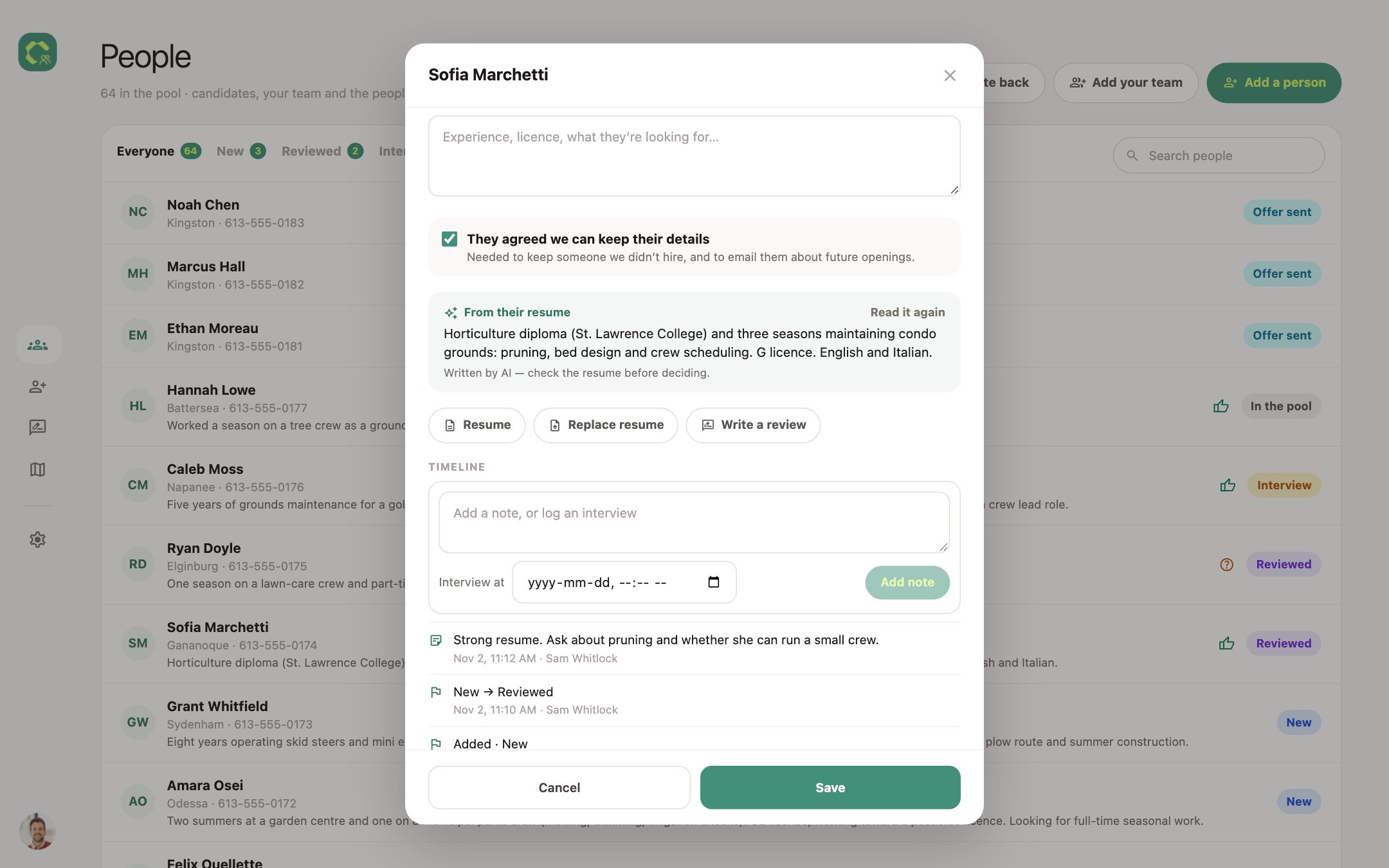
Notes and interviews on a timeline
Every interview and note on the person, in order.
A short summary of each resume
Written by AI from their resume, and always checked by a person.
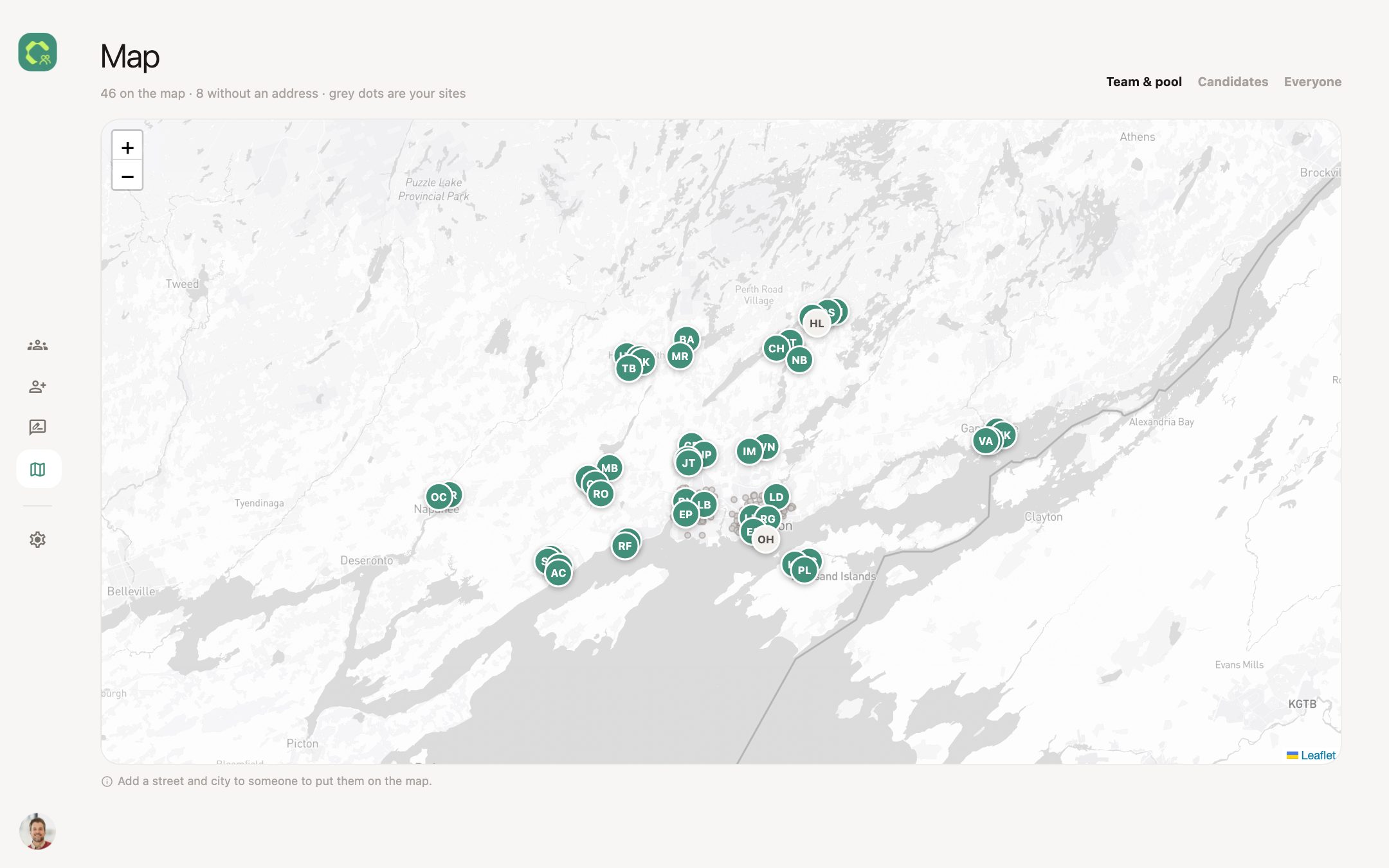
A map of where people live
Next to your sites, so you can see who is close to the work.








Last season’s crew, ready to invite back.
Reviews
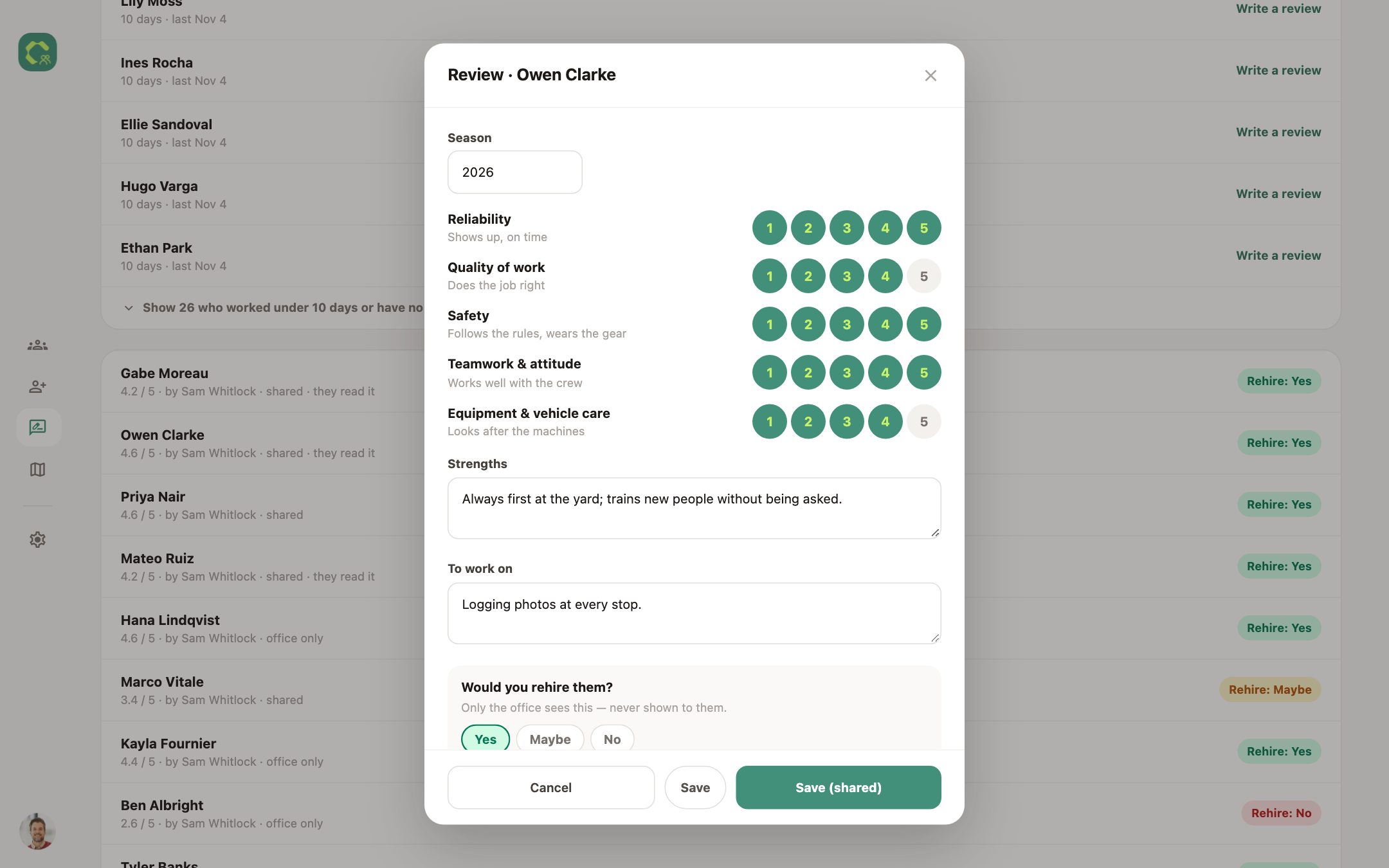
A review at the end of the season.
Five quick ratings, then strengths and what to work on.
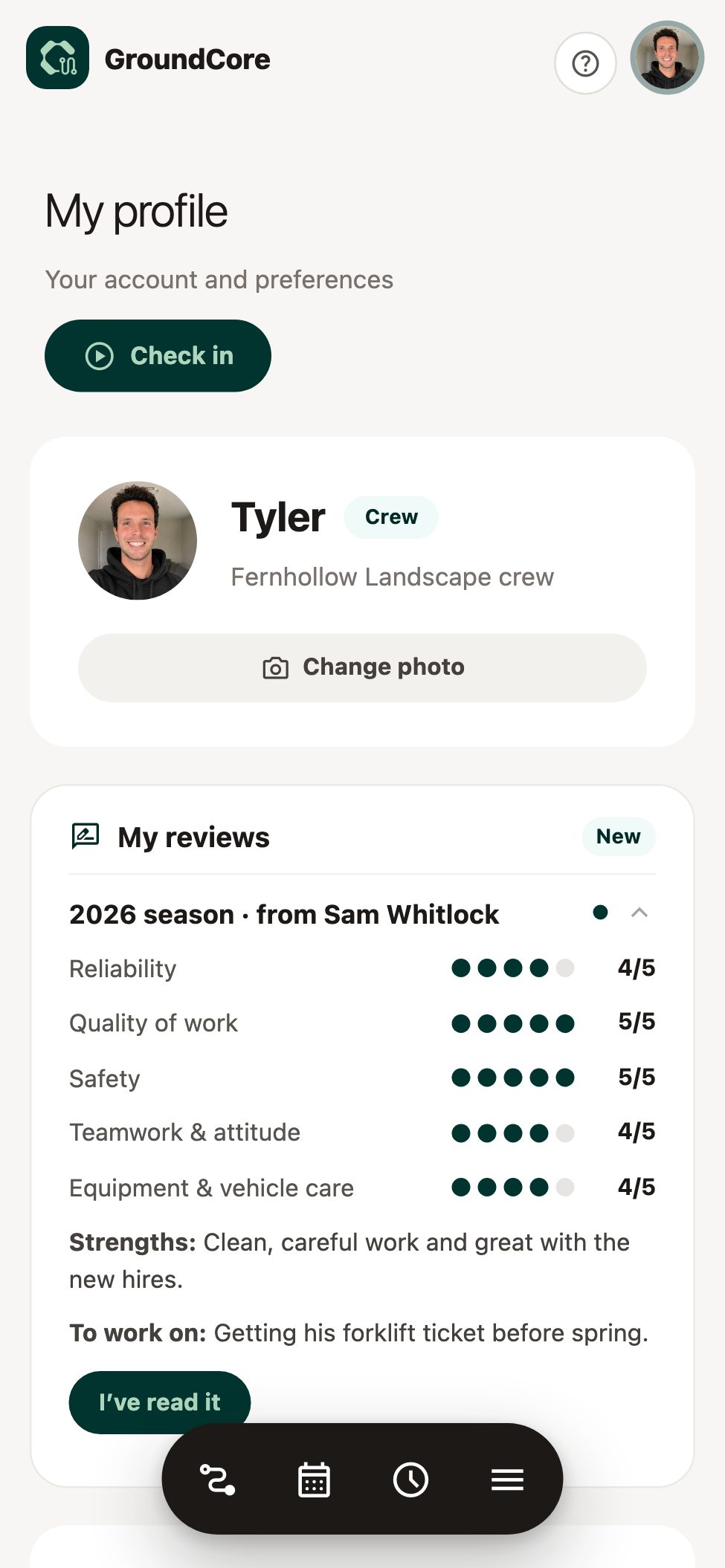
Shared with the worker
They see it in their app and tap "I've read it".
"Would you rehire them?" stays in the office
The worker never sees that answer.
Write one from any app
Owners and admins can review anyone from the team list, in whichever app they work in.
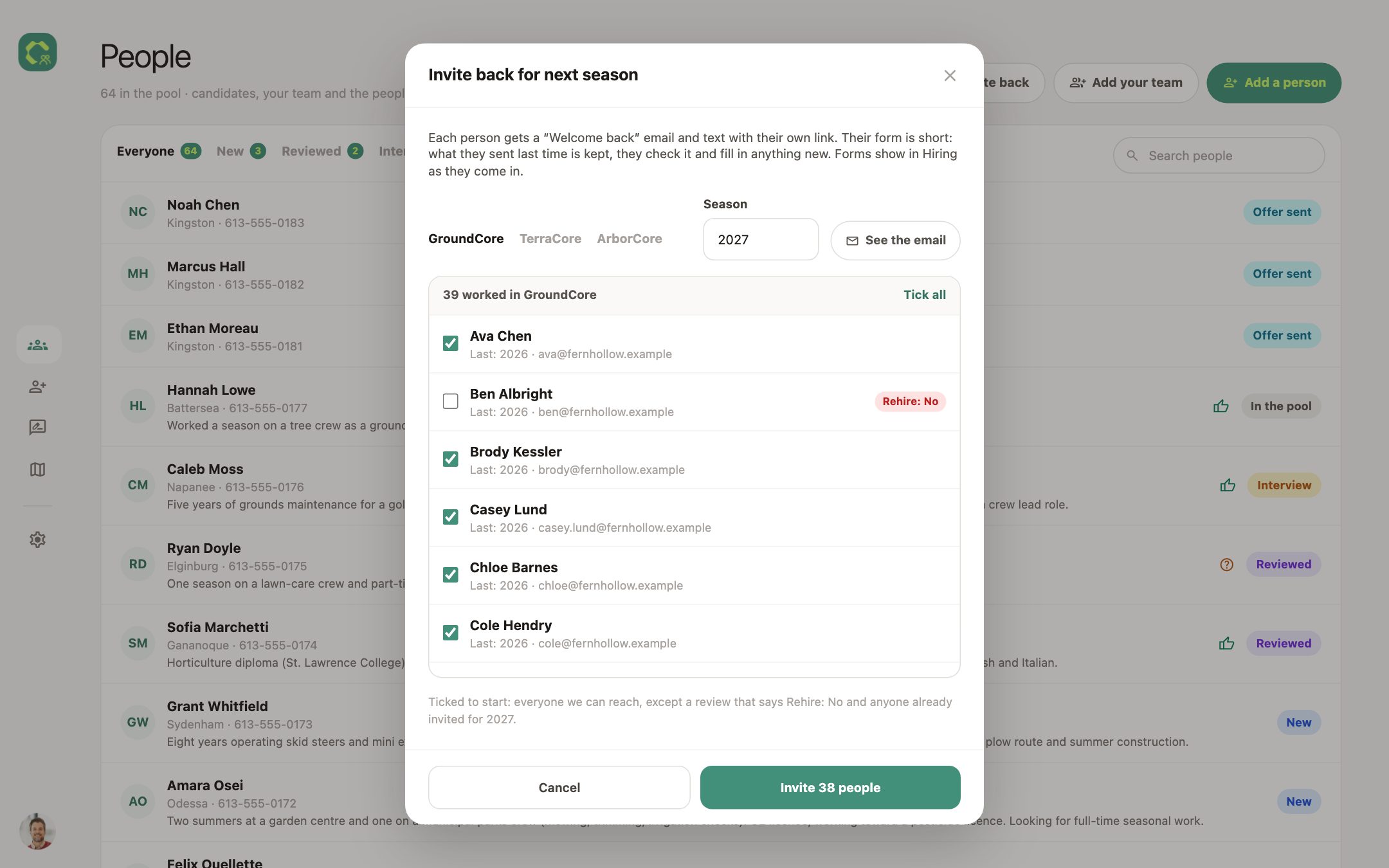
Next season
Last season's crew, invited back in one tap.
On September 1, HireCore reminds you it's time.
Invite back sends last season's crew a "Welcome back" email and text.
Their form is short. What they sent last time is kept; they check it and fill in what's new.
Anyone marked "Rehire: No" is left unticked.
Once they’re on the team
Hiring is the start. HireCore keeps everyone’s paperwork current after that.
For the whole crew, not just new hires: every certificate, licence and site clearance, with a reminder before anything runs out.
Certificates, licences and site clearances. Up to date, in one place.
Expiry dates that remind you
First aid, working at heights, pesticide licences, a driver’s licence: each one has its expiry date. Two months before it runs out it turns amber, and you get a reminder. Once it has run out, it turns red.
The certificate stays with it
A photo or PDF of the certificate sits right under the credential, so it’s there when a client or inspector asks.
New hires add their own courses
The hiring form asks for their courses, with a photo of each certificate and when it runs out. It’s on their file before their first shift.
Site clearances and visitor lists
For sites behind a fence, see who holds a security clearance, which site lists they’re on, and when renewals are due.
A warning before the wrong person is sent
Put someone on a route or job at a secure site and CoreScape tells you if they aren’t on that site’s list. It warns, it never blocks.
A yearly check of their details
Once a year, send everyone with a clearance one link to confirm their legal name, birth date, phone and address, so the paperwork is always current.
Their details stay private.
Only the people who need them
SIN, banking and ID photos are seen only by the owners and admins of the app the person is hired into. They never appear in an email or a notification.
Kept until they ask
Details are kept until the person asks. Every invite has a "Remove my details" link.
They know up front
Sending the form tells them their details are kept for future seasons.
Works with the apps you already have.
The person you hire is added straight into the app they'll work in, with the same login and clock. No second system, no re-typing.
HireCore add-on
+$49CAD / month · or $490 a year, two months free
On top of your apps, any team size. HireCore needs at least one of TerraCore, GroundCore or ArborCore, for now.
Questions
Can I use HireCore on its own?
Not yet. Right now it's an add-on for TerraCore, GroundCore or ArborCore, and the people you hire go into the app you run your work in. We're building HireCore as its own app too. If you'd like that, let us know.
Do I need HireCore to hire people into the app?
No. Every app can invite people. HireCore adds the hiring form, contracts, the people you'd hire again, reviews, certificates and site clearances, and next season's invites.
What do new hires need?
A phone with email or text. No app to install for the form.
Who sees SIN and banking details?
Only the owners and admins of the app they're hired into. They never go out in an email or a notification.
Can people take the photos on a computer?
Yes. They upload them, or scan a QR code with their phone and take them there. The photos go straight into the form.
What happens to someone's details later?
They're kept for future seasons until the person asks to be removed. Every invite has a Remove my details link. Pay records are kept as the law requires.
Does it work with more than one app?
Yes. Hire into whichever app the person works in. The people list covers all of them.
Can HireCore track certificates and site clearances?
Yes. Every credential has an expiry date and reminders, the certificate is attached, and site clearances show who can go where. Putting someone on a secure site they aren't cleared for warns you.
Who can see clearance details?
Only the owner and the admins you give HireCore to. The office and route supervisors see only whether someone is cleared for a site, never their personal details.