GroundCore · Grounds maintenance and snow
Plan the route on real roads. In one tap.
GroundCore orders your stops by real drive time, splits a route across up to three crews, and re-plans the stops that are left from where the crew is now.
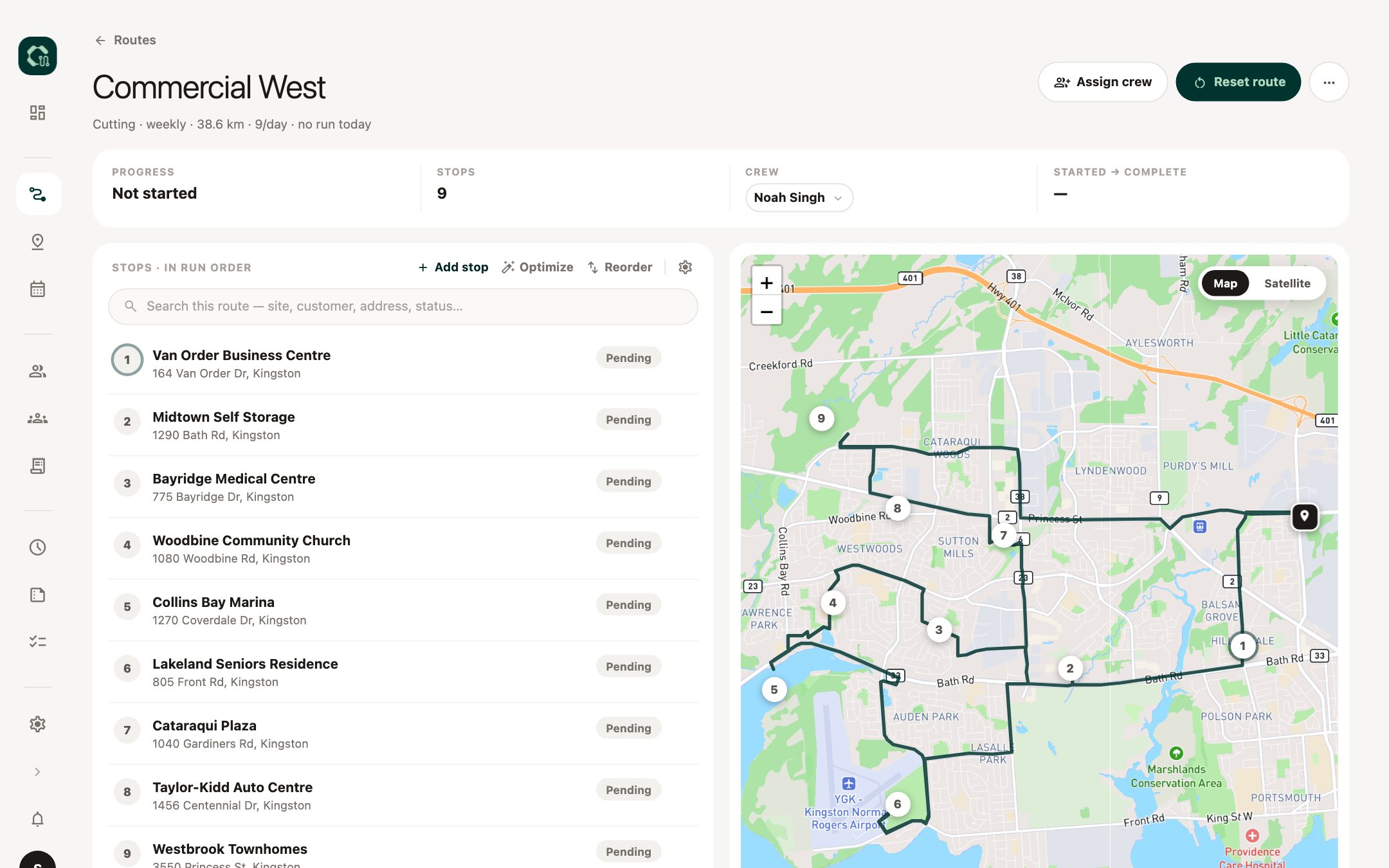
One real route, re-ordered
319 km
193 km
Same 15 stops. About two hours less driving.
Real roads
Ordered by drive time, not by straight lines on a map.
Up to three crews
One route split into balanced routes, each with its own order.
Rebalance in one tap
The office is told when a crew is nearly done. One tap re-plans what's left.
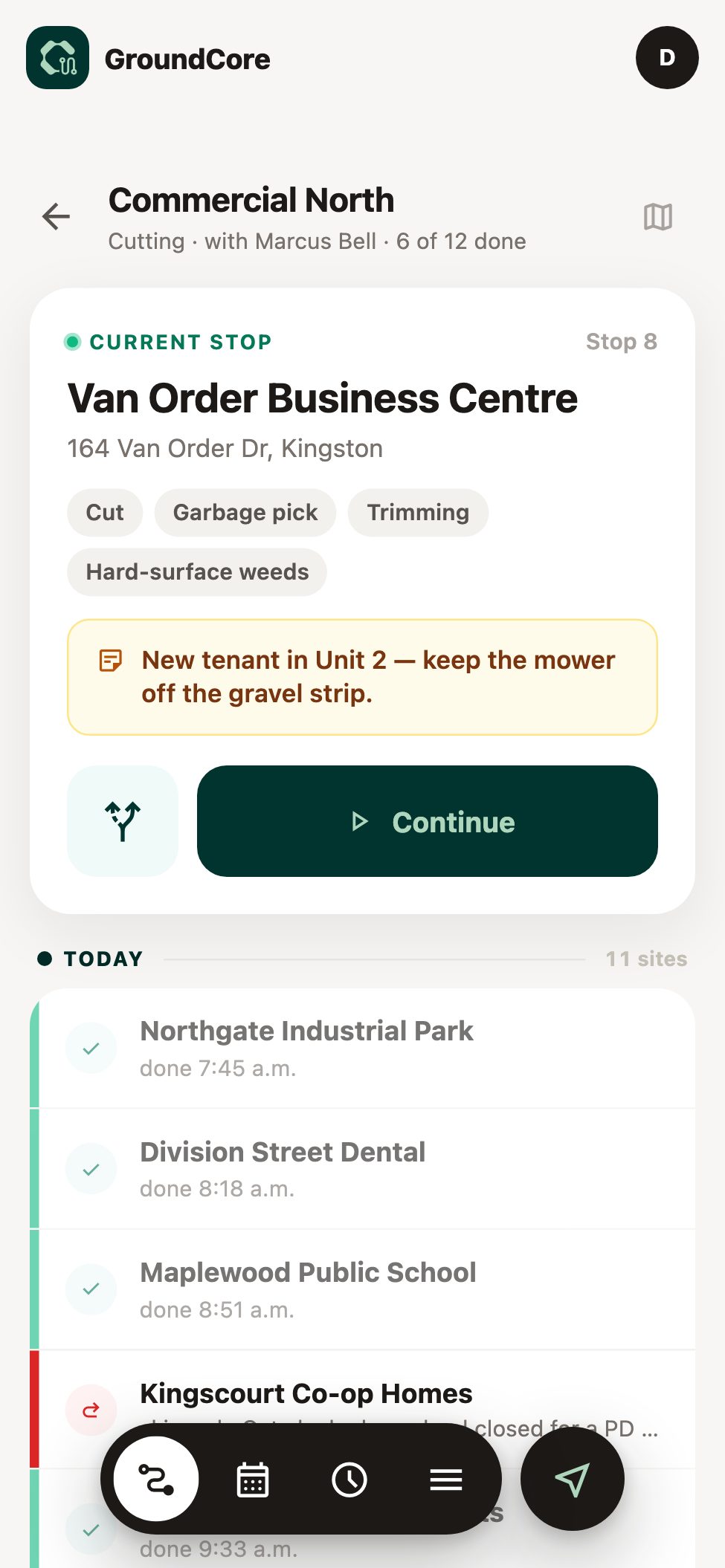
The crew's day
The route is the crew's day.
One ordered list on the phone. The crew lead taps through each stop and the rest of the crew rides along. Nothing to learn but the next button.
Office notes for a stop take over the screen before the checklist, so they can't be scrolled past.
Proof of service
Every visit leaves a record.
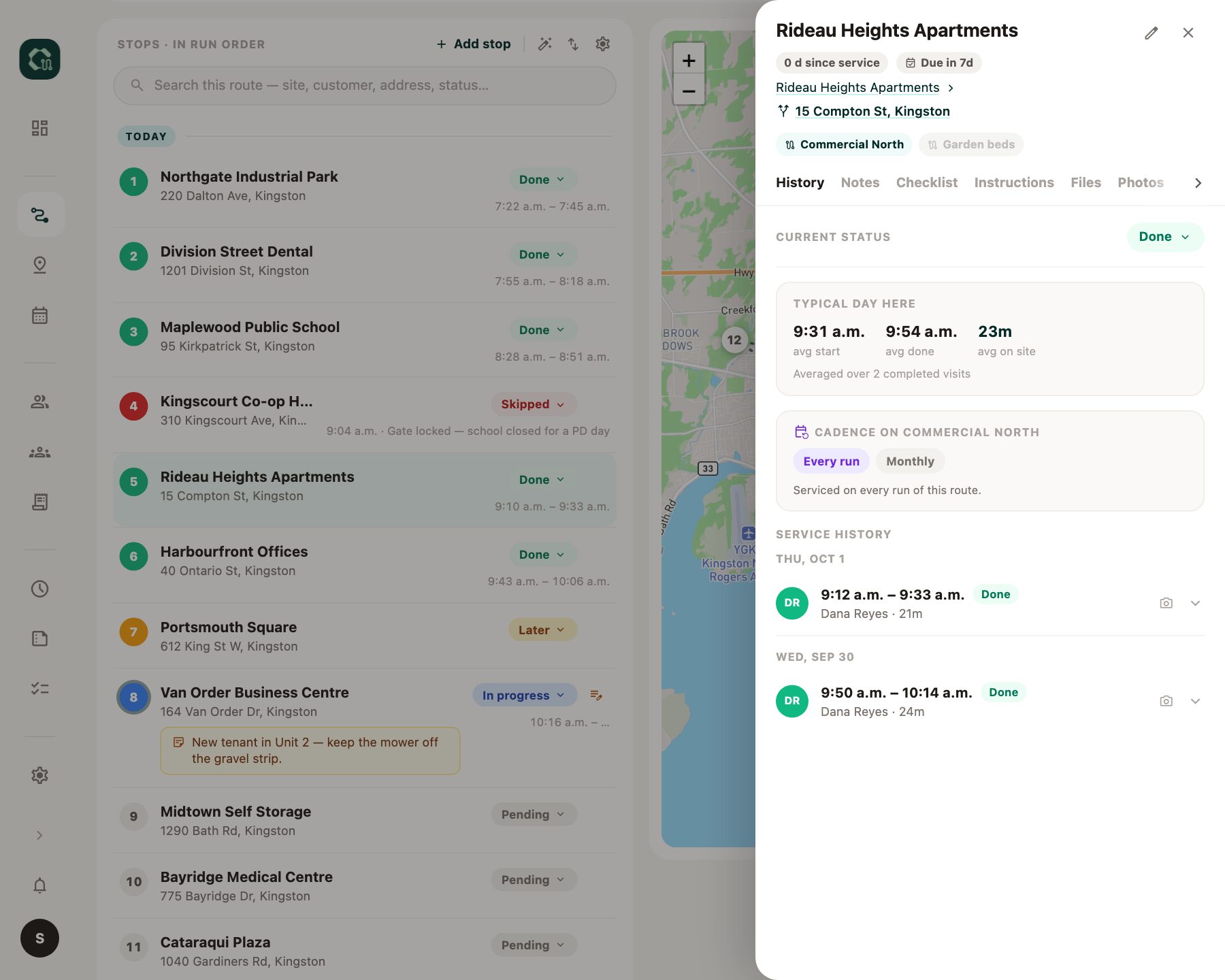
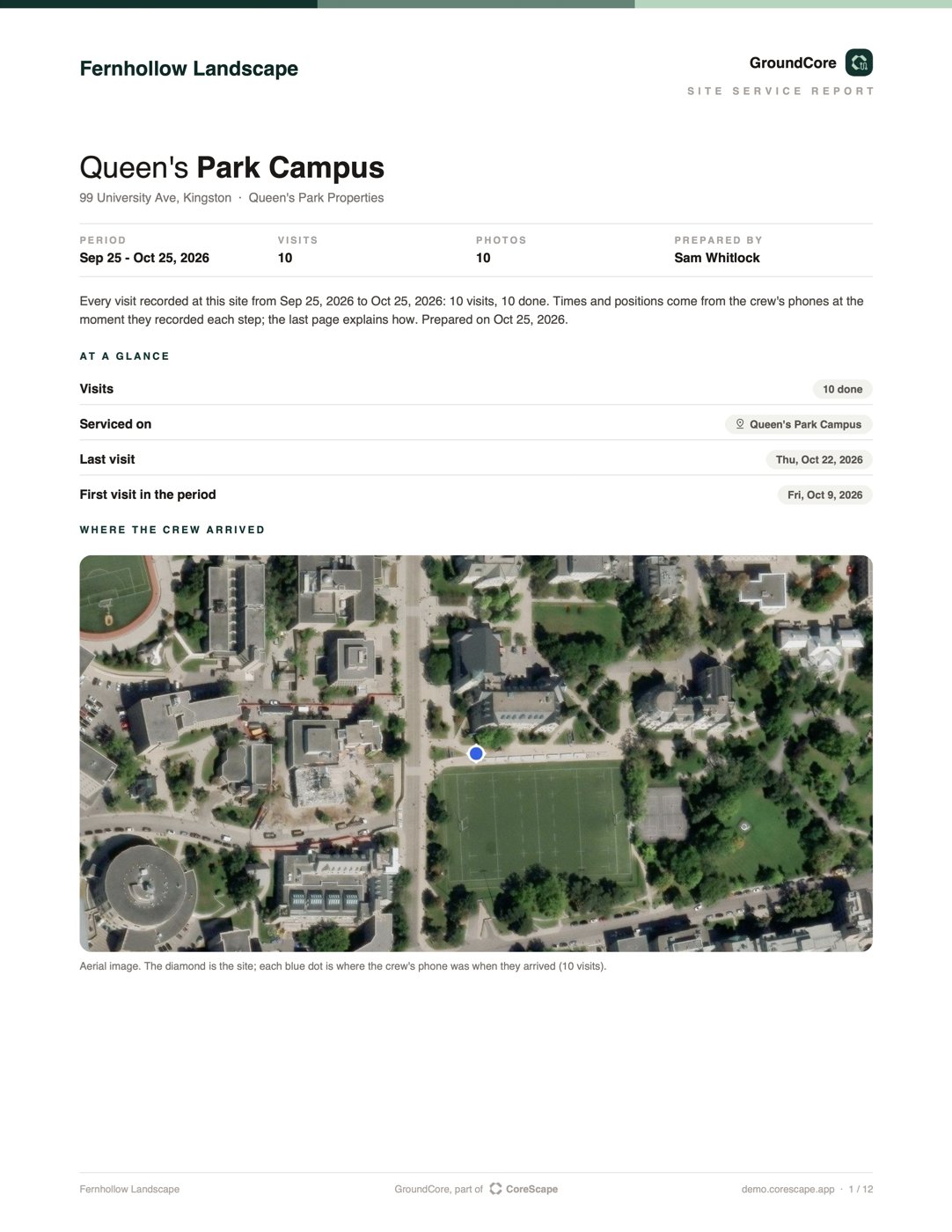
When a client asks whether you were there, the answer is in the site's history: when the crew arrived, where they were, who was on it, and the photos.
Finish is locked until it's done
The checklist has to be resolved and a photo taken. Tap the locked button and it names the one thing missing.
History lives on the site
Every visit, photo, checklist and file, whichever route or crew did it, each with who and when.
When the day doesn't go to plan.
No signal behind the building
The crew finishes the site anyway. It syncs when the truck finds signal.
Skip, with a reason
Gate locked, cars in the lot, too wet to cut. The office sees why, not just that it didn't happen.
Later, not forgotten
Park a stop for later in the day. It stays on the list until someone comes back.
Jumping ahead alerts the supervisor
If the crew leaves stops behind, the supervisor knows straight away.
Crew time
Clock in on the route. Payroll in one click.
Location-stamped
Each clock in and out carries where it happened. Corrections come to the office to approve.
Tied to the route
Hours sit with the route the crew ran that day.
Payroll export
Hours by worker for the pay period, as a spreadsheet.
Also in GroundCore
Crew plan
Who does what each day, and a list of everyone with nothing planned.
Notes to the office
From any stop, with a photo.
Site files and checklists
Gate codes, site maps and a checklist for each service.
Daily report
Every stop done, skipped or left for later, and any run exported as a spreadsheet.
Single sites
One person, one site, every day, off a route.
Foreman and crew views
The lead runs the stops; everyone else sees the day and clocks in.
Storm board, conditions and salt
A live board for storm nights where silence is the alarm: a crew that hasn't updated in 45 minutes turns amber, 90 turns red. Plus ground conditions and salt logged at every stop.
Run it with TerraCore or ArborCore.
GroundCore works on its own. Add another CoreScape app and your people are already there, with the same login and clock.
Questions about GroundCore
How big can a route be?
Routes of more than 100 stops run on it today. One route can be split across two or three crews, each with its own order.
Does Optimize use real roads?
Yes. Stops are ordered by real drive time, not straight lines. On a route that has started, it re-plans only the stops still left, from where the crew is.
Does it work without signal?
Yes. A crew can tick the checklist, take the photos and finish a stop in a dead zone. It syncs when the phone finds signal.
Is it ready for snow?
Winter routes, the storm board, ground conditions and salt tracking are built. This winter is their first season in daily use.
Do our clients get updates or reports?
Not automatically. For any site you can make a service report, a PDF with every visit's times, phone positions, checklist, weather and photos, and for any route a spreadsheet of every stop. Download the report, or send it to the client from the app: you see the whole email before it goes.
Can you bring over our sites and routes?
Yes. Send us your clients and sites as a spreadsheet and we load them when we set you up.
Bring a route you run every week.
We'll put your stops into GroundCore and show you the order it picks, then walk a stop through the crew's phone.