TerraCore · Landscape construction
Walk the site. Talk. Get the estimate started.
Talk through the job and take photos as you walk. TerraCore turns it into a written site report and drafted work areas for the estimate. You check every line before anything goes to the client.
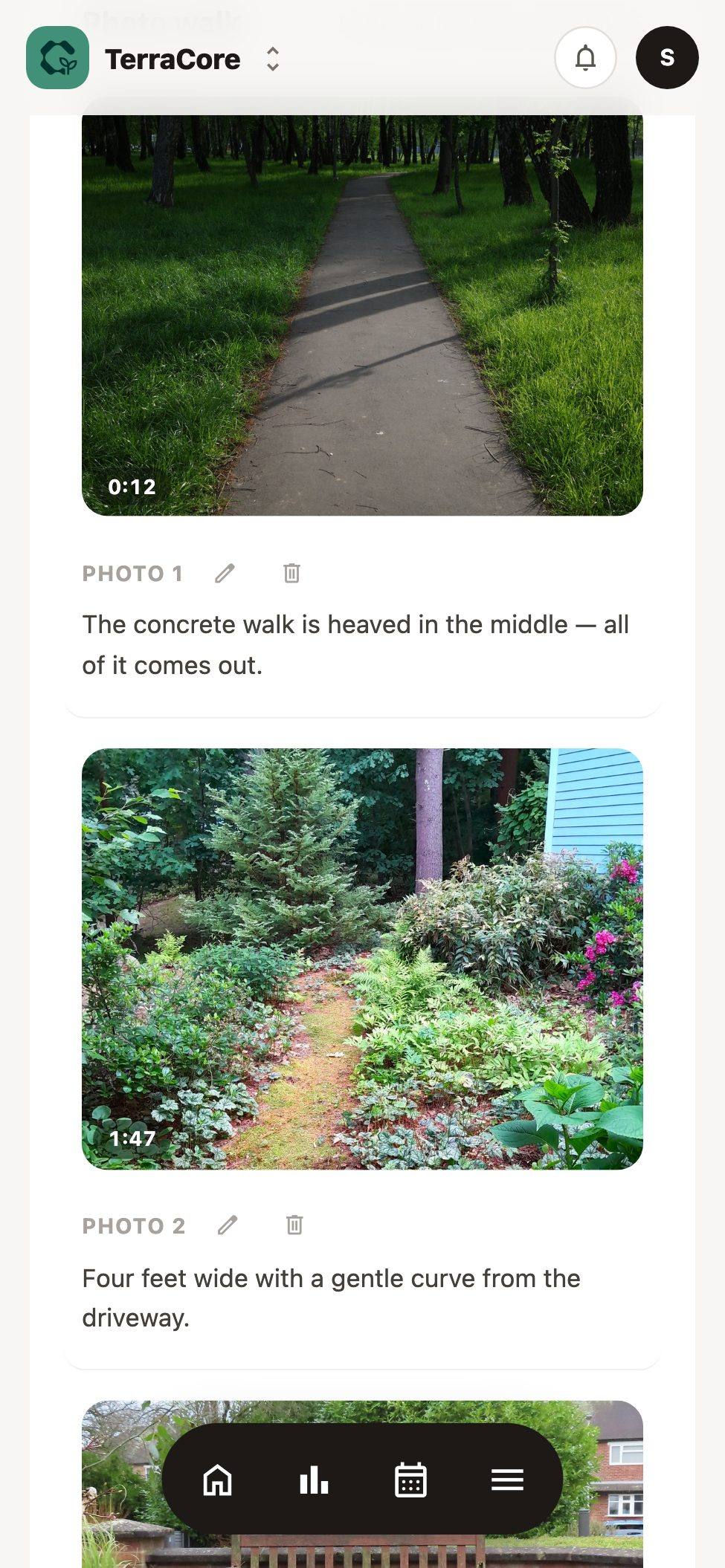
On site
Talk and take photos as you walk. Nothing to type.
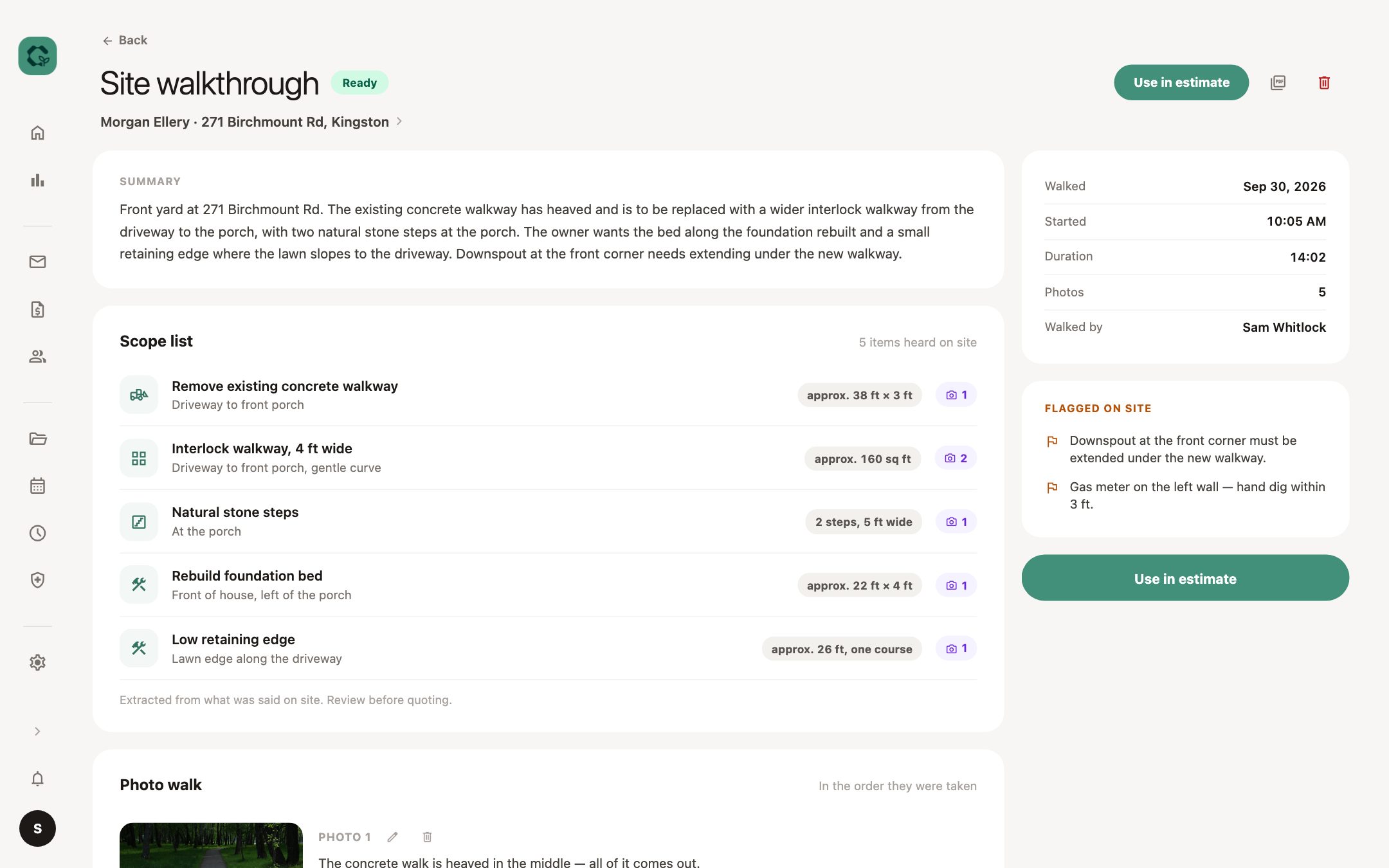
Back at the truck
A written site report, with your photos in place.
At the desk
Work areas drafted from what you said, ready to price and check.
Client email
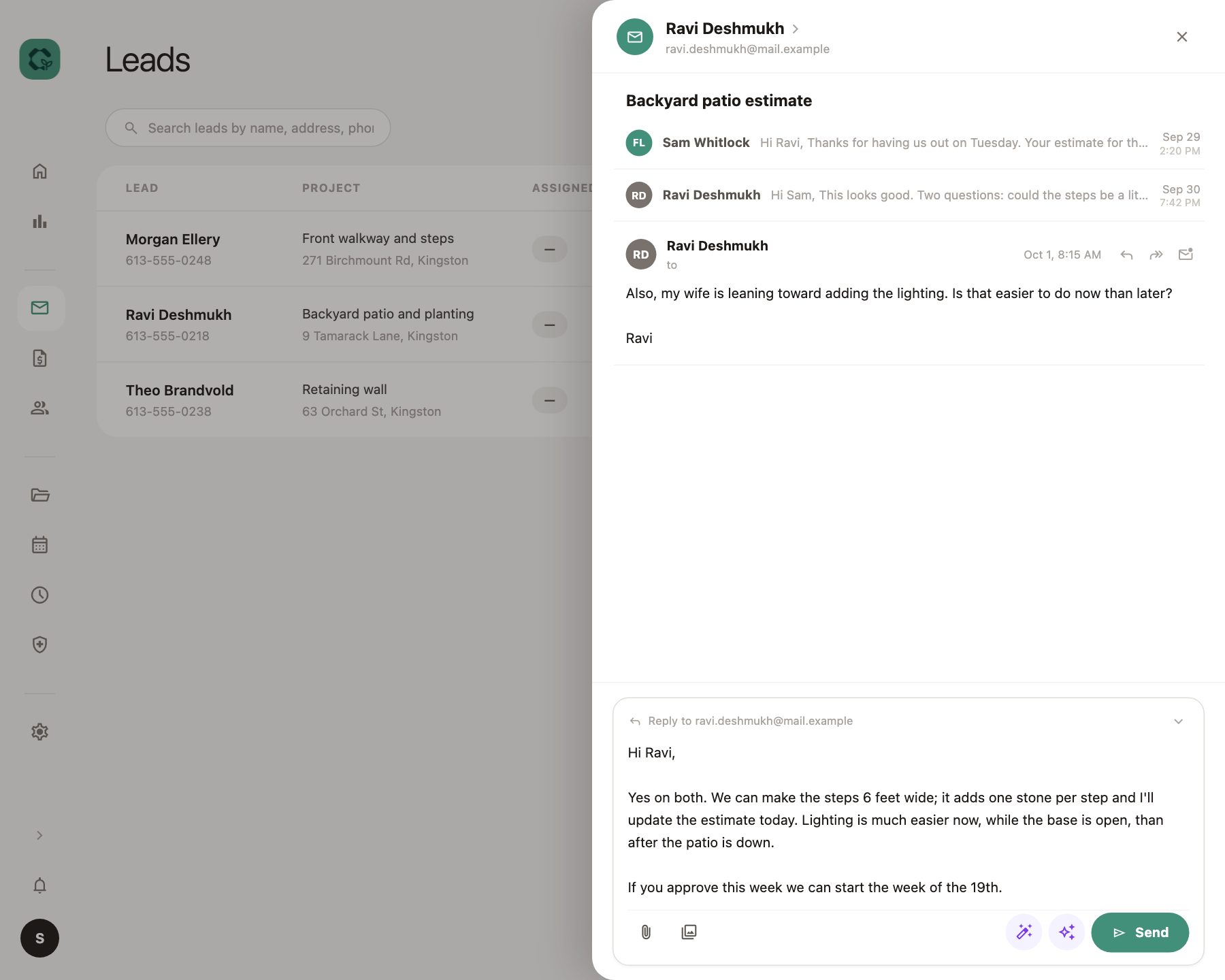
The client's emails live on the job.
No digging through an inbox for what they said about the steps. The whole conversation sits on the project, next to the notes and photos.
AI drafts the reply
It reads the whole thread and the job's notes, then writes a draft. You fix it and send it.
Estimates follow up on their own
A nudge at 5 days and again at 10. It stops as soon as the client replies.
Job costing
It tells you when a job ran over. Plainly.
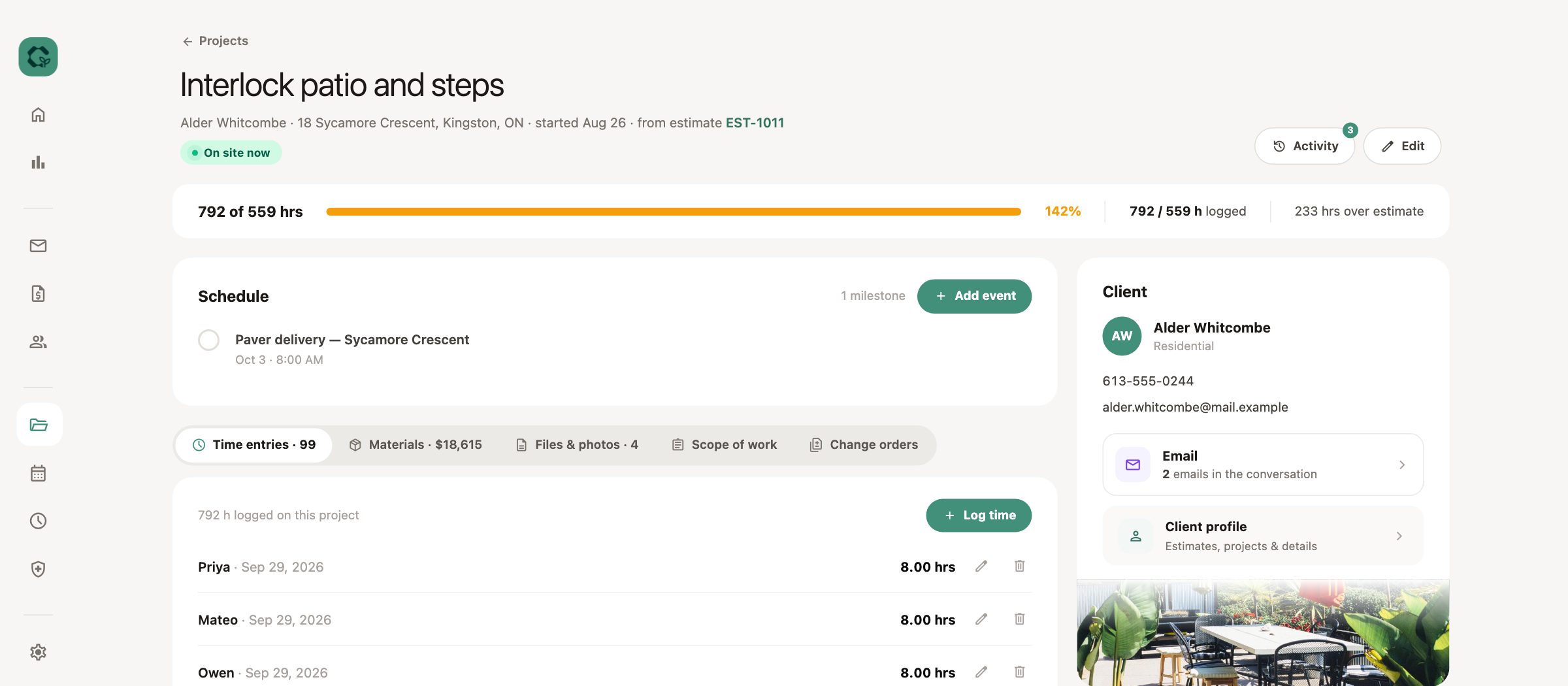
Crew hours land on the job as they clock in and out, against the hours you estimated. When a job overruns, it says so in a number, not a full green bar.
Hours against estimate
Green under, amber over, red past one and a half times.
Margin for owners only
Margin per job is visible to owners. The office runs the job without seeing it.
Example project
Interlock patio and steps
Done
800 of 559 hrs
143%
241 hrs over estimate
Approval
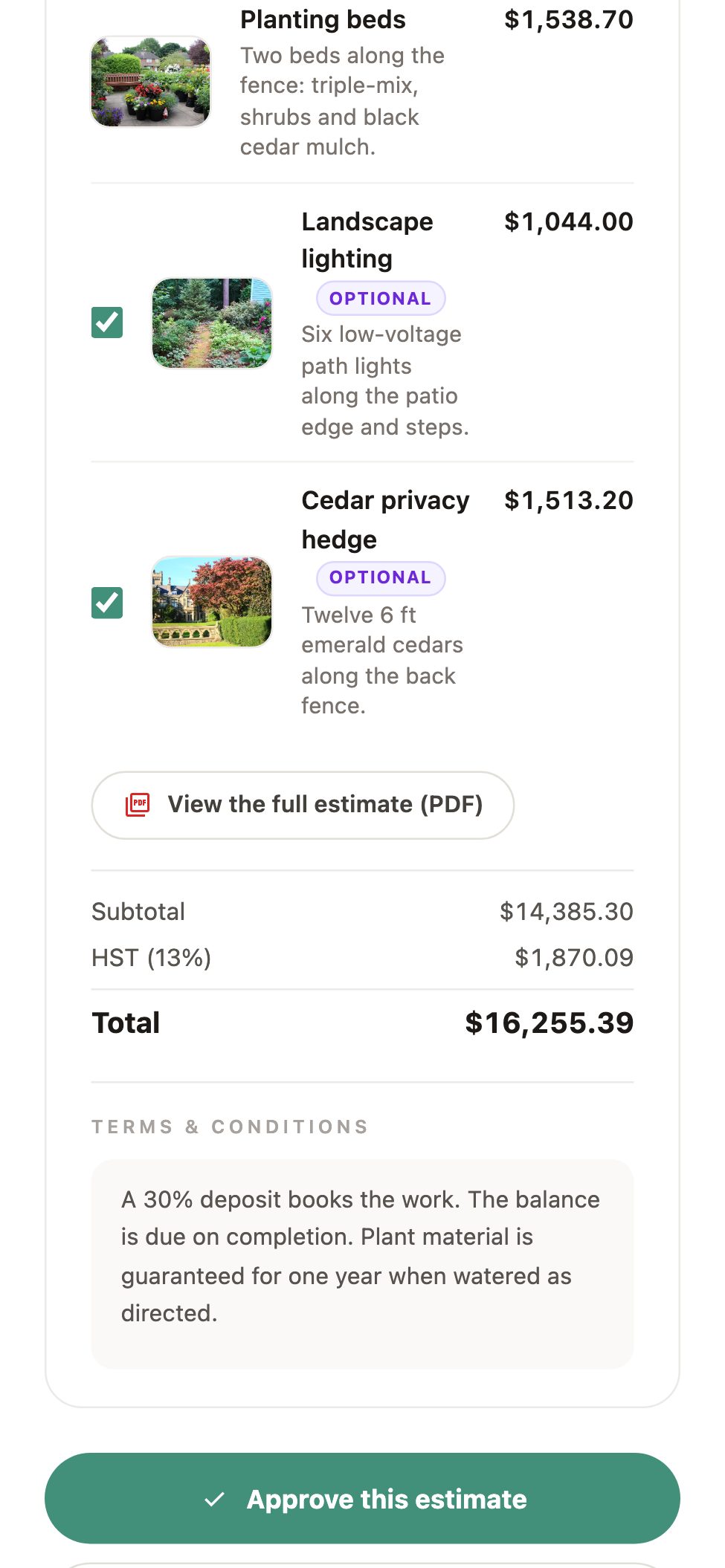
The client approves and signs from a link.
The estimate opens on their phone under your company's name. They read it, choose which add-ons to keep, and sign. No printing, no scanning.
Optional add-ons, decided by the client
Lighting, a second step, a bigger bed. Each one with a photo, and the total updates as they choose.
Change orders the same way
Scope changes mid-job go out through the same link and come back signed.
Over $2 million
in estimates built and sent to clients through TerraCore.
Crew time
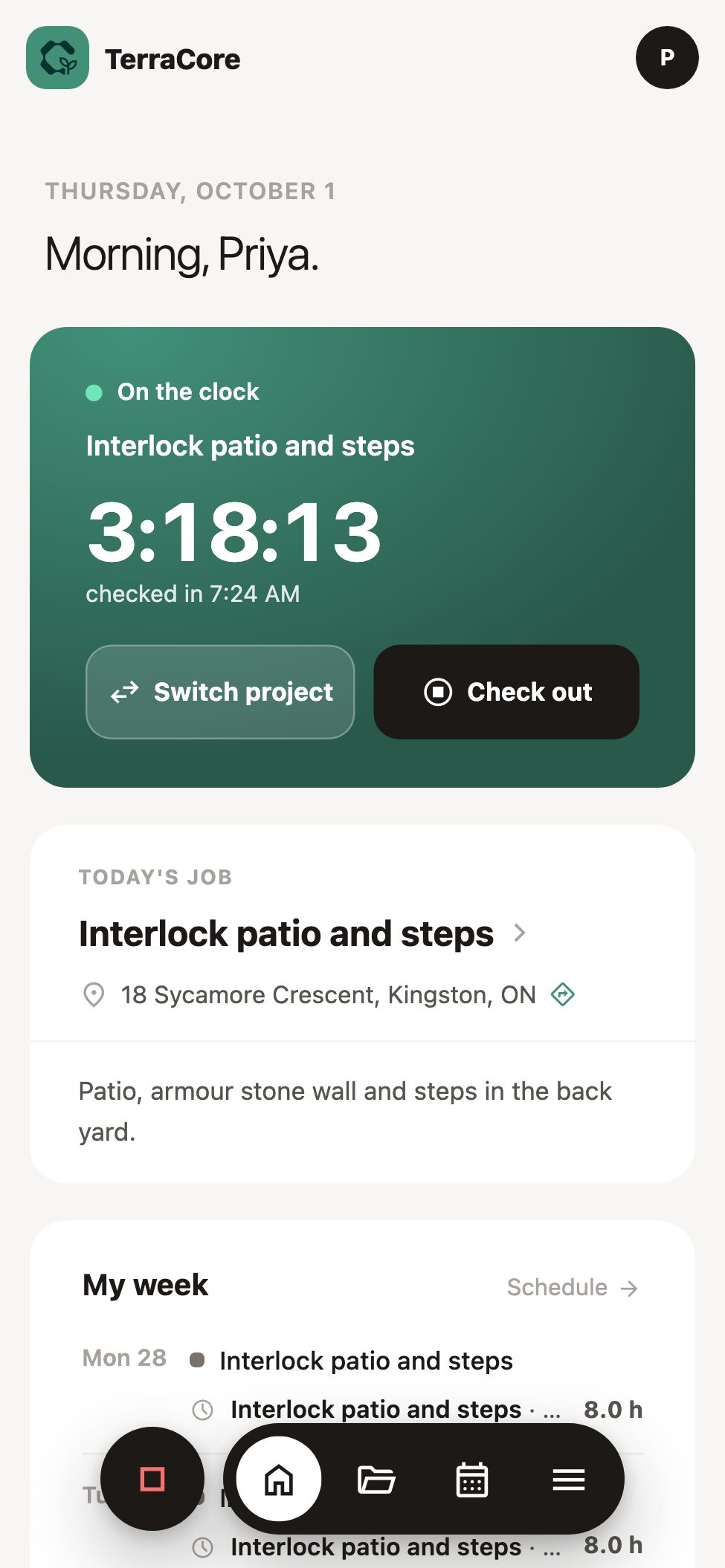
Clock in on the job. Payroll in one click.
Every app tracks time. In TerraCore the hours go straight onto the job they were worked on, so the costing is always current.
Location-stamped
Each clock in and out carries where it happened. Corrections come to the office to approve.
Payroll export
Hours by worker for the pay period, exported as a spreadsheet.
The job on their phone
Scope of work, materials, files and photos for the project they're on.
Also in TerraCore
Branded photo galleries
The finished job, shared with the client under your name.
Production calculator
Enter the square footage; get the quantity from the item's rate.
Receipts into material lines
Scan a supplier receipt; confirm the lines it reads.
Office TV display
A live board for the shop or office wall.
Run it with GroundCore or ArborCore.
TerraCore works on its own. Add another CoreScape app and your people are already there, with the same login and clock.
Questions about TerraCore
Does it replace our estimating spreadsheet?
Yes. Estimates are built from your own catalog of materials and labour, with your markup. The client approves and signs online, and an accepted estimate becomes the project.
Do we have to use the AI features?
No. The walkthrough report, email drafts and receipt reader are there if you want them, and a person checks everything before it reaches a client. We can switch them off for your company.
Can we show a client what was done on their project?
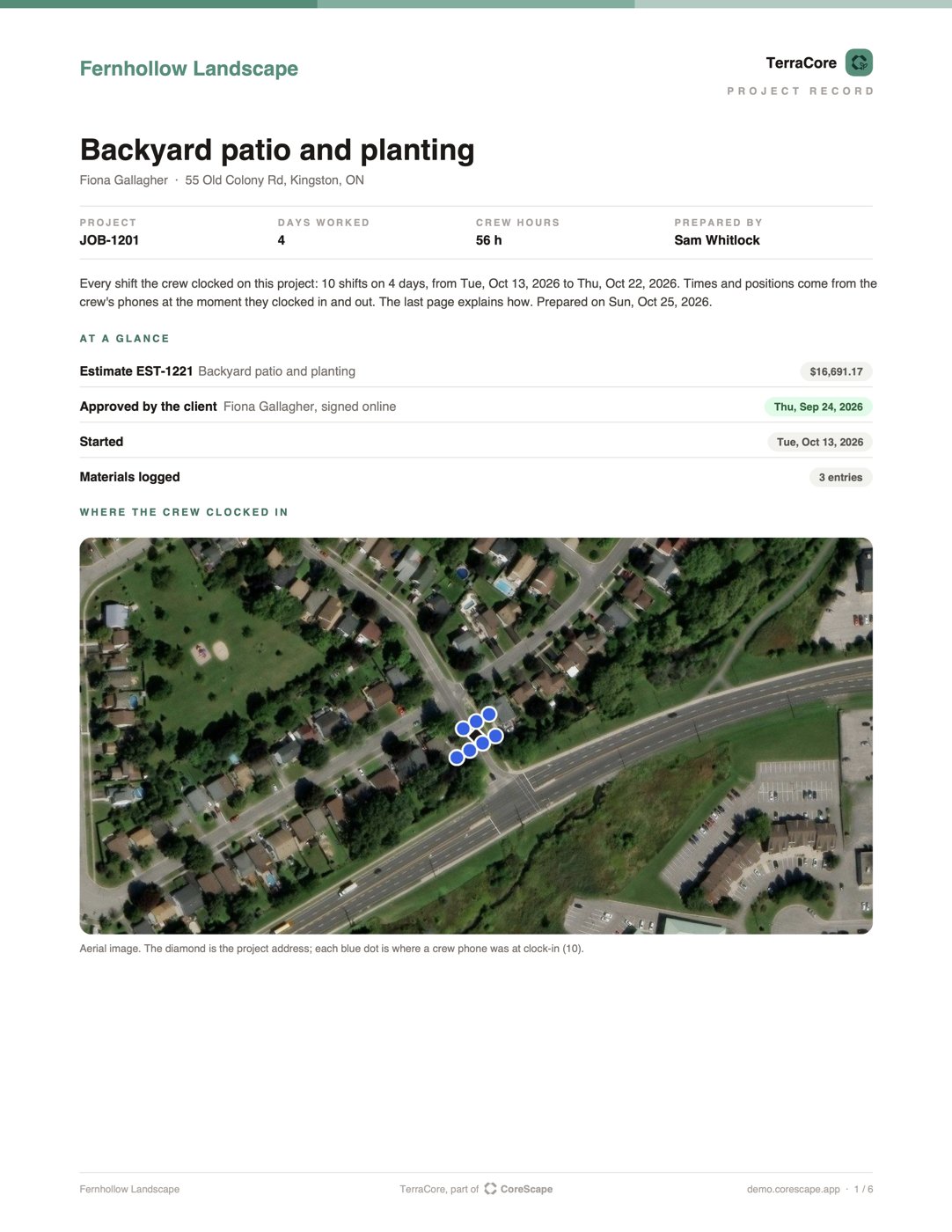
Yes. The project record is one PDF: the estimate they approved online and when, every day worked with who clocked in and out and where, change orders, materials and photos. Download it, or send it to the client from the app: you see the whole email before it goes.
Can clients pay through it?
Not yet. TerraCore records deposits and payments against a job, but it doesn't issue invoices or take cards. Invoicing is next on the list for TerraCore.
Does it connect to our accounting software?
Not yet. Hours export as a payroll spreadsheet for each pay period. Accounting sync is planned.
Does the crew side work without signal?
Partly. Clocking in and out works without signal: it is kept on the phone and sent with the right times when there is signal again, and the job shows what it last loaded. Adding photos and materials needs a signal.
How do our crews get it?
They open a link, add it to their home screen and sign in. There is no app store step, and it is the same login as the office.
Bring a site you're about to quote.
We'll walk it through TerraCore with you: the report, the drafted estimate, and where the hours land once the crew starts.