ArborCore · Tree care
Newest appFrom the first call to getting paid. One chain.
ArborCore takes a tree job from the request to the invoice. Each step hands off to the next with one button, so nothing sits between two people waiting.
1 · Request
Comes in from your form, with photos.
Book2 · Assessment
The client gets a text with your ETA.
On my way3 · Quote
Approved from a text or an email.
Send quote4 · Job
Tailboard signed, then work starts.
Start work5 · Invoice
Sent as a link, marked paid when the money comes in.
Mark paid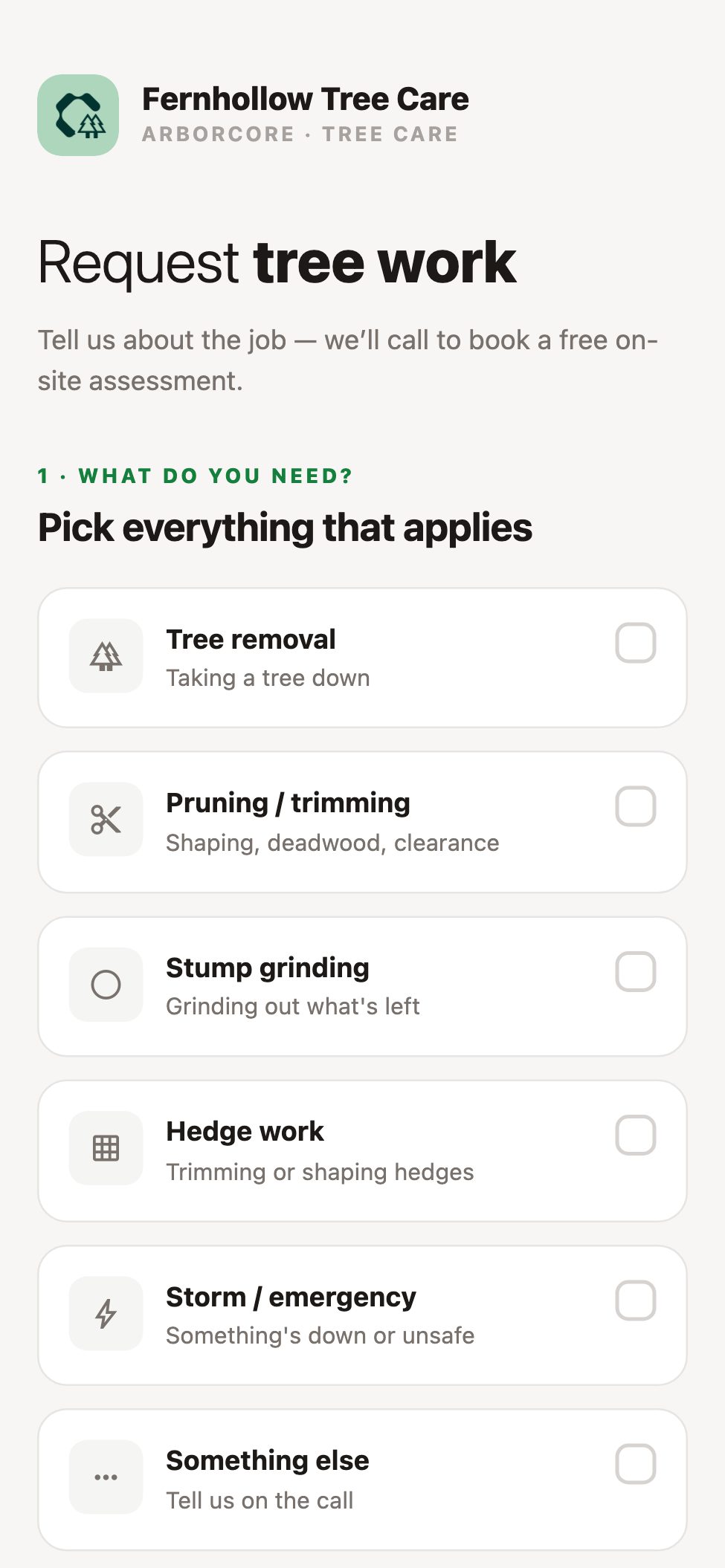
Request
A request form that saves a site visit.
One page under your company's name. Link to it from your website. Clients pick the work, guess the height ("not sure" is fine), and add photos of the tree and what's around it.
Storm work gets a phone number
Anything down or unsafe is pointed to your emergency line, not a callback.
A queue that ages by the hour
Oldest first, amber at a day, red at two. Call or book, right from the row.
Quote
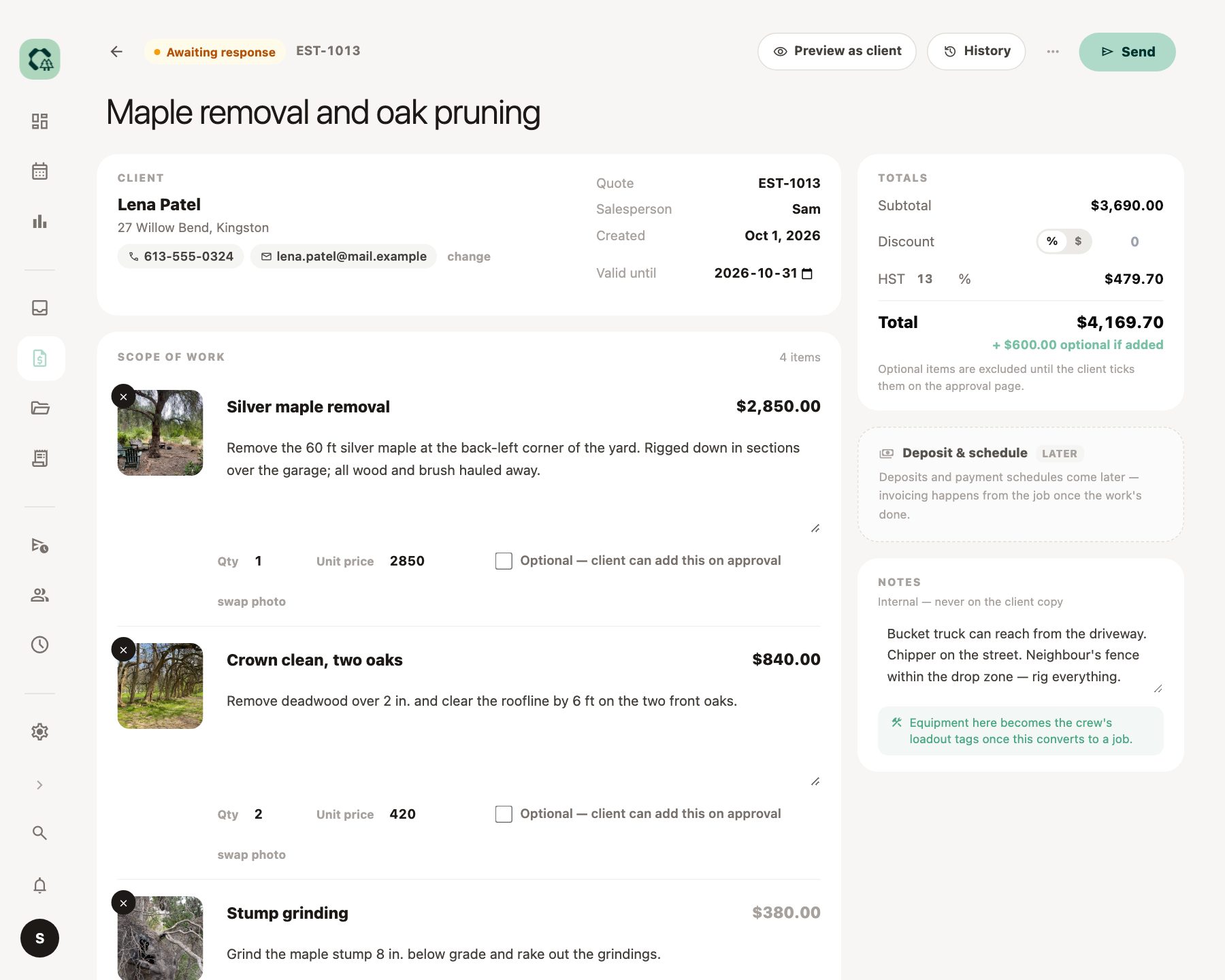
Approved from a text, with the extras they choose.
Each line is a short scope with a photo of the tree, not a row in a table. Send by text or email; the client approves on their phone.
Add-ons they tick themselves
Stump grinding, haul-away, the second tree. Shown as "+$ if added" and left out of the total until they choose.
Follow-ups that stop when they reply
Email nudges on a schedule you set. The moment the client answers, the chasing stops.
The day
Schedules around the times you've promised.
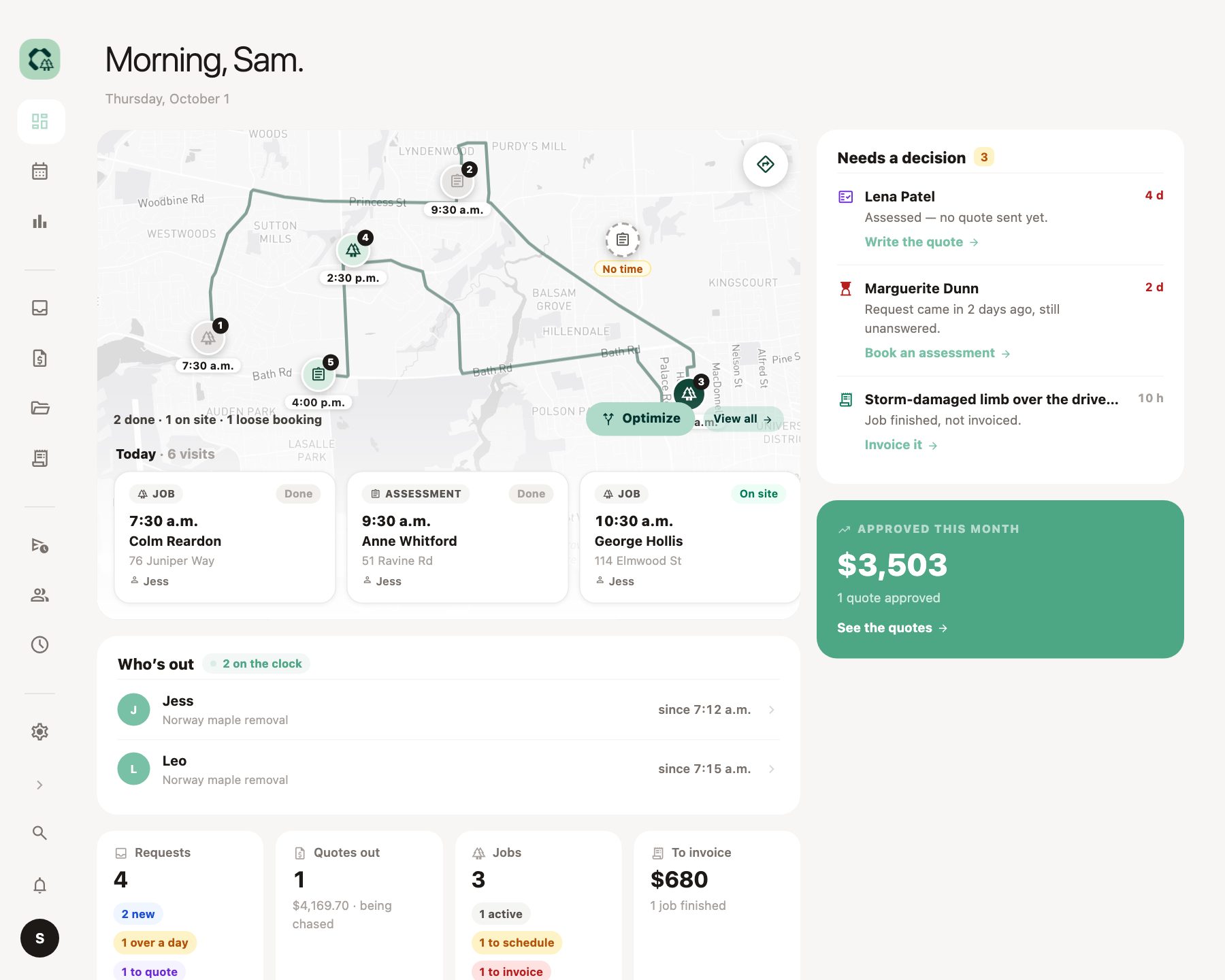
The 9 AM you told Mrs. Patel stays at 9. Optimize fits the visits without a set time around it, by real road drive time, and shows how much driving it saved.
Then text them their times
A separate tap, so nothing goes out until you're happy with the day.
"On my way", with an ETA
One tap from the truck sends the client a text with when you'll be there.
Tailboard
No saw starts until the tailboard is signed.
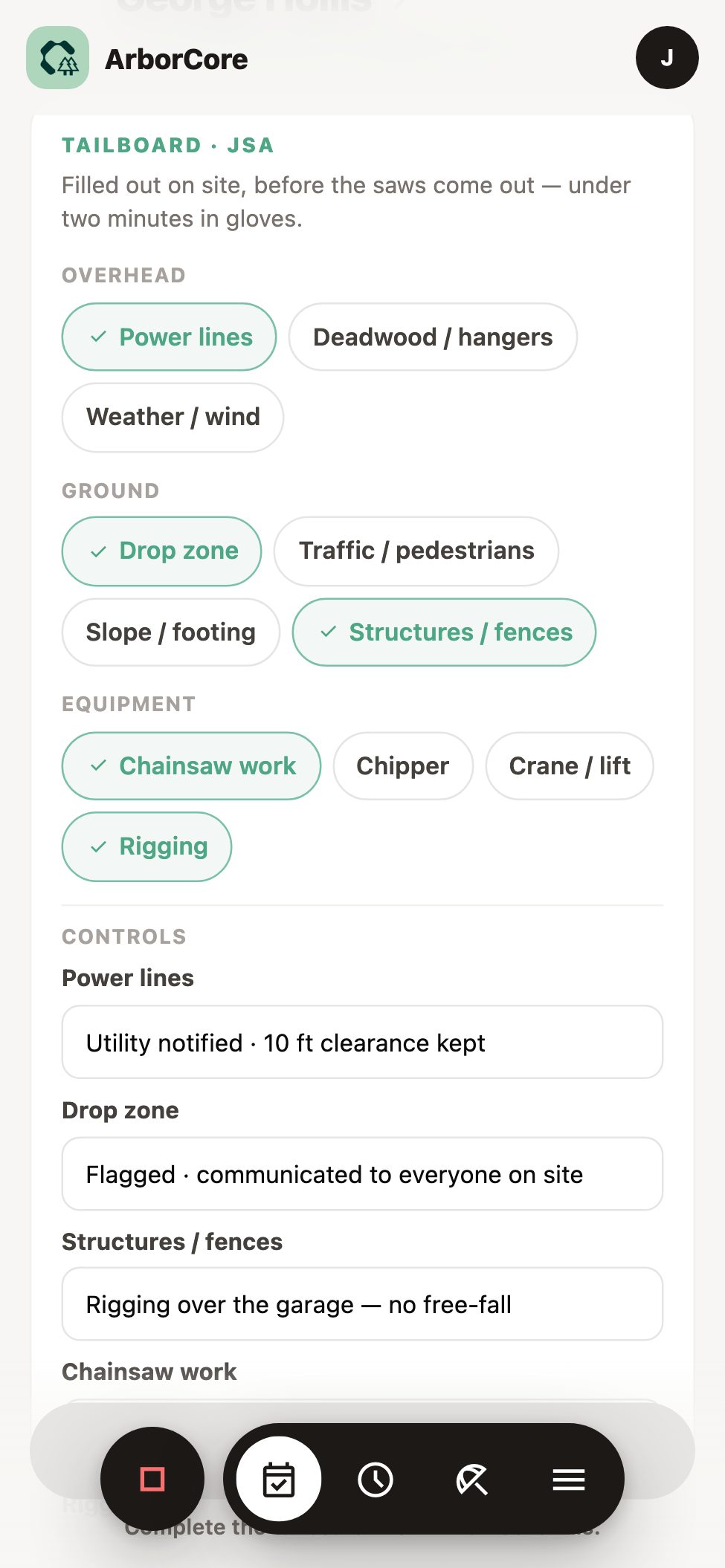
Start work stays locked until the job's safety briefing is done. It takes a couple of minutes on a phone and leaves a record you can stand behind.
Look up, look down, look at the kit
Hazards are grouped as overhead, ground and equipment. Ticking one fills in its usual control, which you can change.
Everyone signs on
Each person on the crew, with a timestamp. Drop zone and PPE on the same sheet.
Locked once done
If the site changes, reopen it. Every reopen is logged, so the record can't be quietly rewritten.
Getting paid
Nothing finished goes unbilled.
A finished job with no invoice turns amber after three days and red after seven, until someone bills it.
Invoices sent as a link
Your numbering, your name. When the e-transfer, cheque, card or cash comes in, mark it paid. The app records payments; it doesn't take them.
Who owes what, and for how long
Owner reports show money owed by age and how many quotes you win.
To invoice · example
Silver maple removal
Finished yesterday
Crown clean, two oaks
Finished 4 days ago
Stump grinding, 3 stumps
Finished 9 days ago
Also in ArborCore
Truck loadout
The crew's day shows what to load for each job until it's on the truck.
Quick job and log a call
Three fields to make a job; one sheet to log a phone request.
Search everything
Clients, quotes, jobs and invoices from one box.
A dashboard that says what's next
Today and the crew first, then the few decisions waiting on you.
ArborCore is the newest CoreScape app. It was shaped with a working tree-care team and tested end to end. Online payments and accounting sync aren't in it yet.
Run it with TerraCore or GroundCore.
ArborCore works on its own. Add another CoreScape app and your people are already there, with the same login and clock.
TerraCore
Landscape construction
The tree comes out first, then the patio goes in. Quote the build in TerraCore.
See TerraCore →GroundCore
Grounds maintenance and snow
Your maintenance crews already visit the site every week. When they spot a dead limb, the tree work is one quote away.
See GroundCore →Questions about ArborCore
How new is ArborCore?
It is the newest CoreScape app. It was shaped with a working tree-care team and tested end to end, and that team is moving onto it now.
Does it text our clients?
Yes. The on-my-way message with an ETA, quote links, booking confirmations and visit reminders go out as texts, from your company's own number.
Can a crew skip the tailboard?
No. Start work stays locked until the tailboard is completed and signed. If the site changes, it can be reopened, and every reopen is logged.
Can we prove what was done on a job?
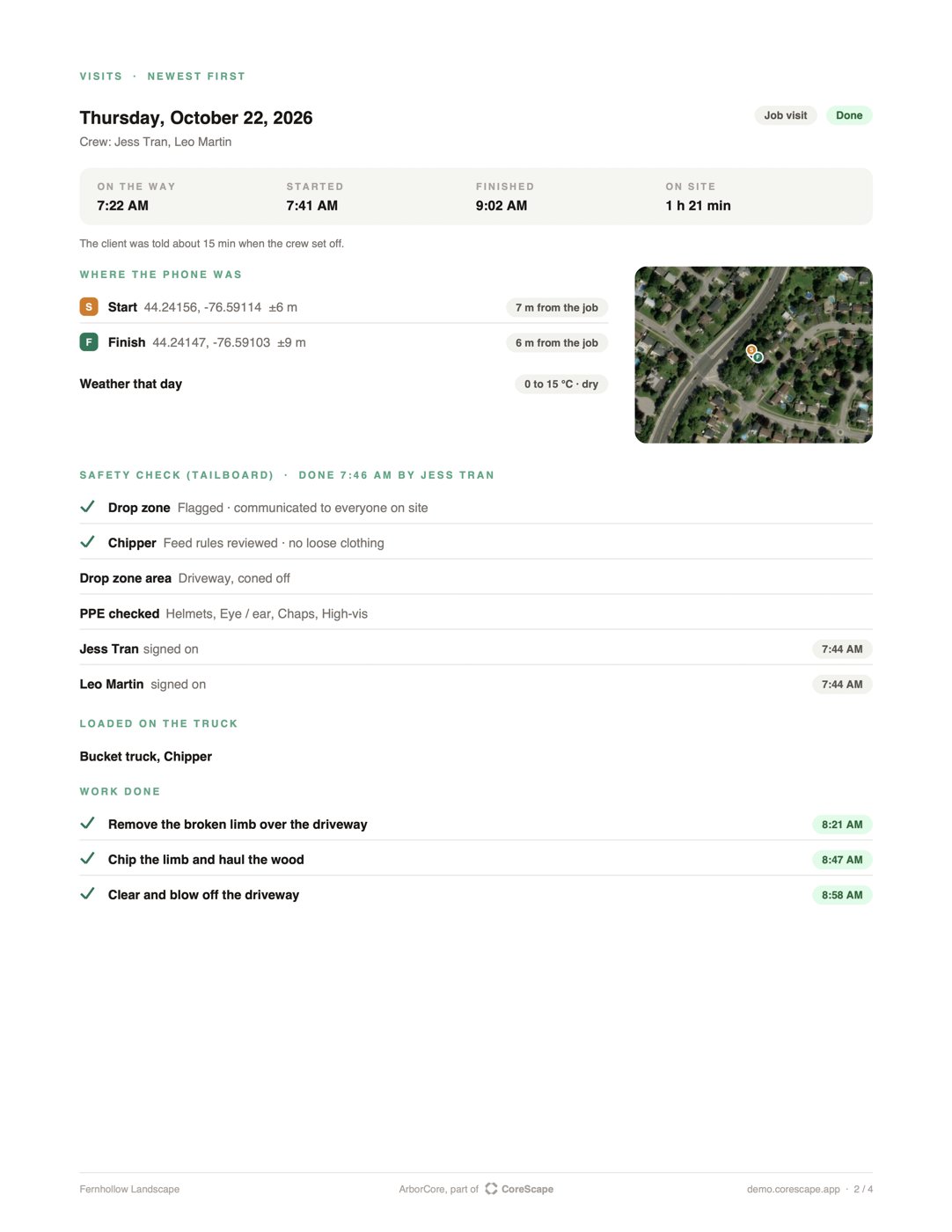
Yes. The job record is one PDF: when the crew set off and started, where their phones were, the tailboard signed on site, the work done and photos from before and after. Download it, or send it to the client from the app: you see the whole email before it goes.
Can clients pay online?
Not yet. The invoice opens from a link, and you mark it paid when the e-transfer, cheque, card or cash arrives.
Does it connect to our accounting software?
Not yet. Invoices keep your existing numbering so your books stay in step. Accounting sync is planned.
Where does the request form live?
At your own CoreScape address, under your company's name. You link to it from your website.
Bring a tree job you quoted last week.
We'll take it from request to invoice in ArborCore with you, including the tailboard and the client's texts.