The crew app
The next thing to do, and one button to do it.
Your crews use the same CoreScape app as the office, installed to their home screen. Each trade gets its own day: a route of stops, a project, or a handful of tree jobs.
Book a demo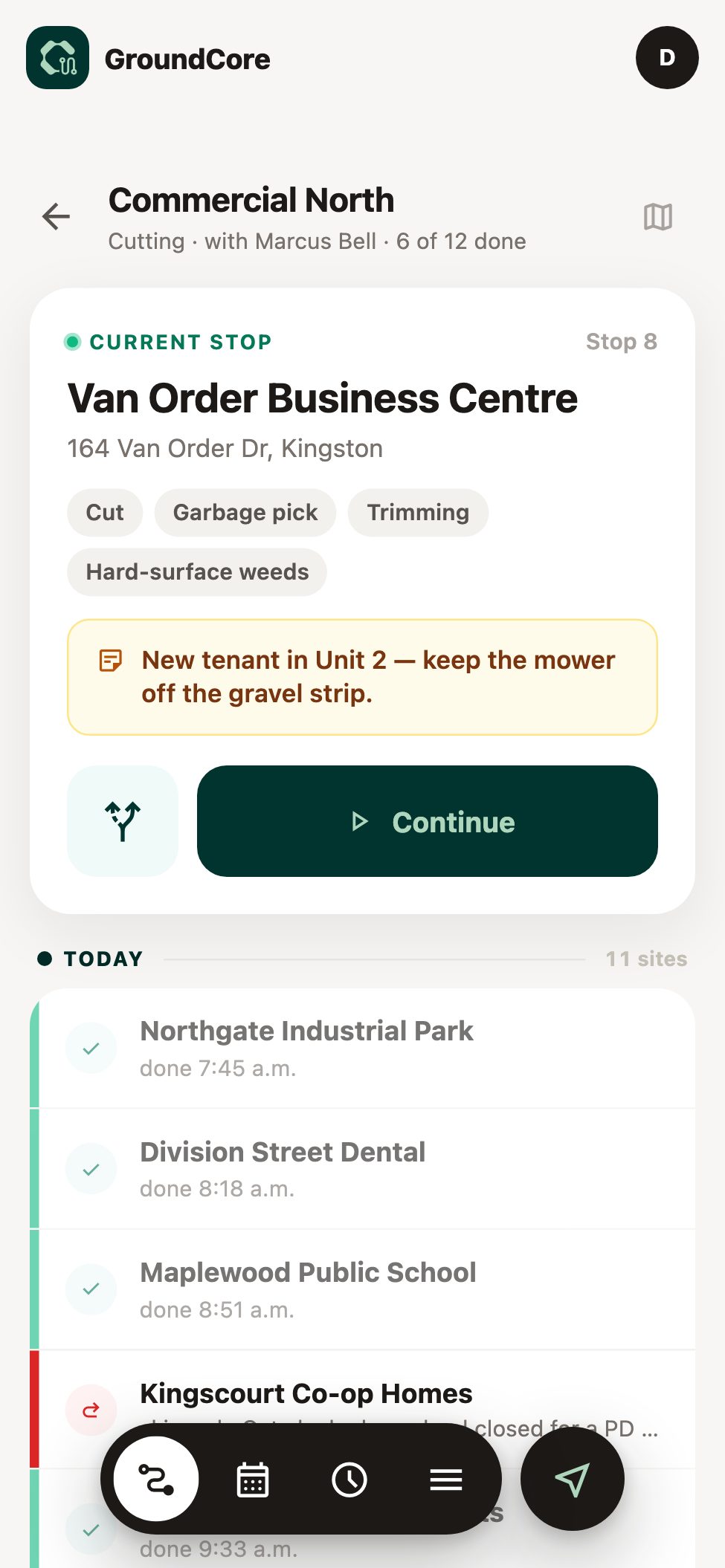
Built for the person holding the phone.
Most crew apps are the office app squeezed onto a phone. This one starts from someone standing at a stop with gloves on.
One button on screen
Directions, then Arrive, then Done. The screen always shows the one next step.
Wet gloves, one hand
Big targets, nothing to pinch, nothing to type at a stop.
No signal, no problem
GroundCore crews finish the stop in a dead zone. It syncs when the truck finds signal.
No app store
Open a link, add it to the home screen, sign in. Same login as the office.
361 stops
completed through the crew app in GroundCore's first month, logged with arrival times, locations and photos.
Over $2 million
in estimates built and sent to clients through TerraCore.
Three trades. Three different days.
A maintenance crew's day is a route. A build crew's day is a project. A tree crew's day is a few appointments. The app shows each crew the day it actually has.
GroundCore
The route, in order
Where you go next
The next stop fills the screen, with Directions and Arrive.
Checklist and a photo
Done stays locked until both are in, and it says what's missing.
Skip or Later, with a reason
The office sees why. Jumping ahead alerts the supervisor.
Lead and crew views
The lead taps the stops. Everyone else sees the day and clocks in.
TerraCore
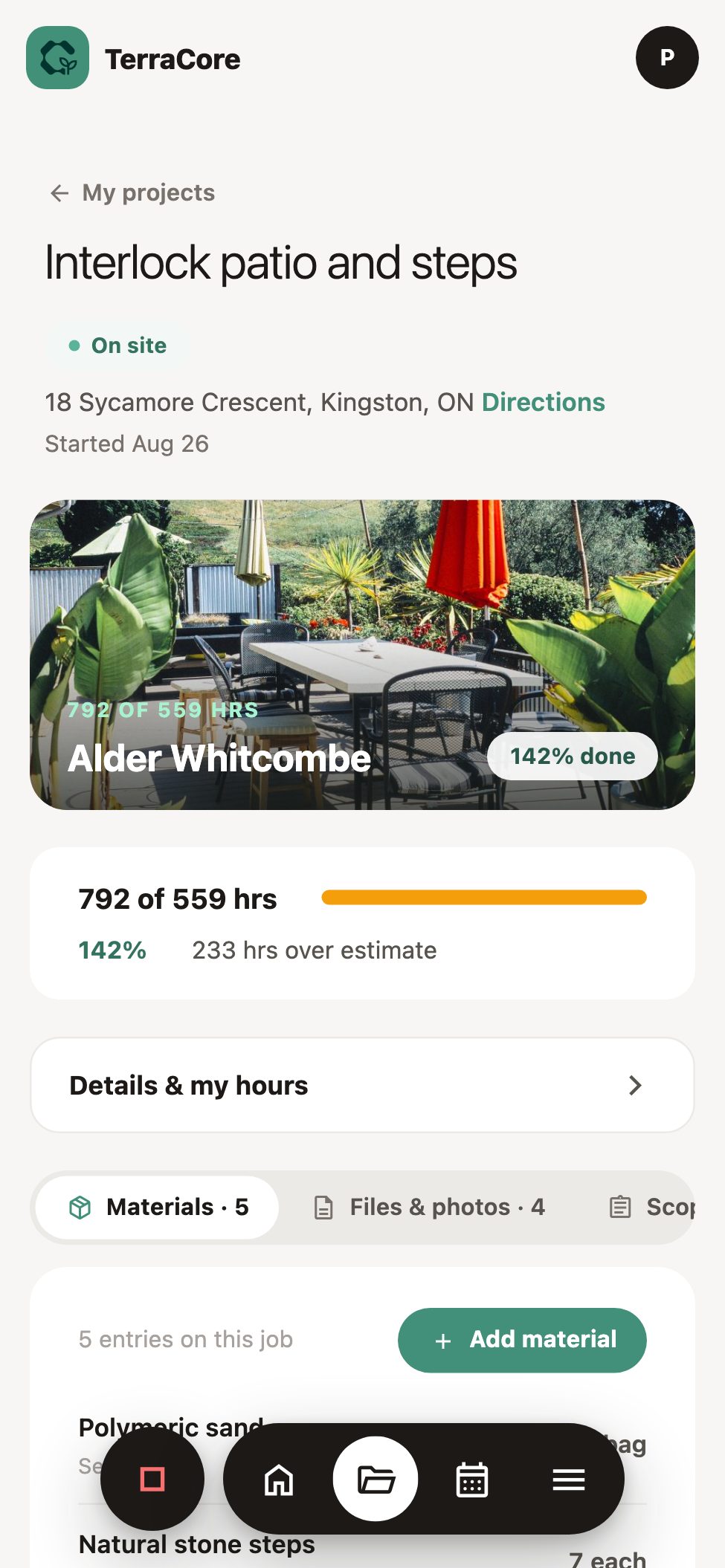
The project you're on
Clock in on the job
Location-stamped, and the hours land on that project's costing.
Scope of work
What was sold, on the phone, so nobody builds from memory.
Materials, files and photos
Everything for the project in one place, and photos filed straight onto it.
ArborCore
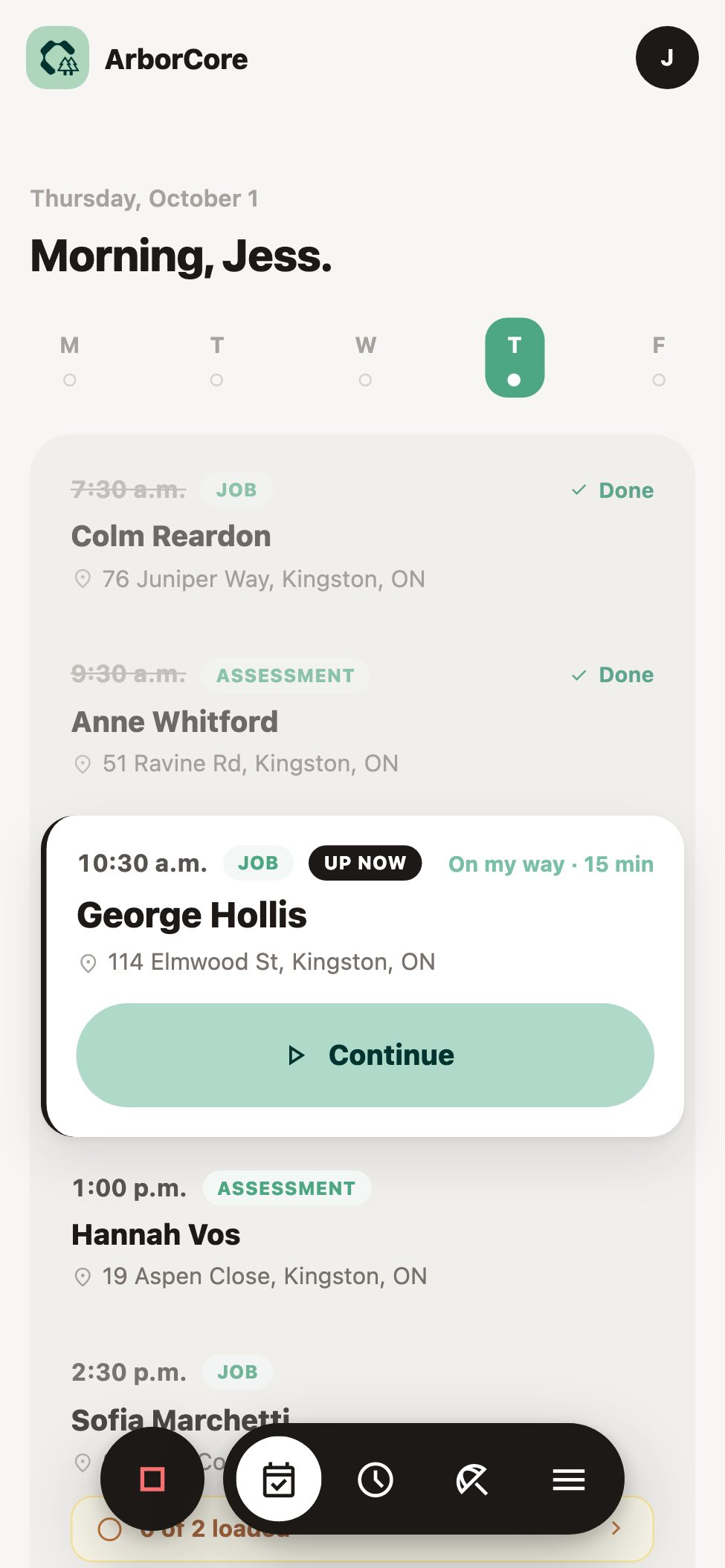
A handful of tree jobs
Visits by time, not stop number
The one you're on stands out; the rest stay in the background.
"On my way" sends a text
The client gets your ETA from one tap in the truck.
Loadout before you leave
The lift, the grinder, the chipper: each one ticked off as it goes on the truck.
Tailboard before the saw
Start work stays locked until everyone has signed on.
What the office gets back
Every tap on site is a record in the office.
The crew doesn't fill in a report at the end of the day. The report is what they tapped.
Proof of service
Arrival time, location, crew and photos, kept on the site.
Timesheets
Location-stamped clock in and out, corrections you approve, payroll export.
The daily report
Done, skipped and later, with reasons, notes and photos.
Safety records
Signed tailboards, locked once done, with every reopen logged.
The same for every crew
Clock in and out
One card on the home screen.
My week
Monday to Sunday, so they know what's coming.
Notes to the office
From the job, with a photo.
Time off
Request it from the phone; the office approves.
Hand a phone to your crew lead.
We'll set up one of your routes or jobs and let them tap through it. They'll tell you faster than we can.